/ docs
Product UpdatesStatus PageAutomation Institute
▼ 日本語
/ docs
  • Product Updates
  • Status Page
  • Automation Institute
  • Getting Started
  • Recipe Design
  • Connectors
  • Accessing On-prem
  • API Platform
  • Workflow Apps
  • Workbot
  • Troubleshooting
  • Organization and Workspaces
  • Data and Security
  • Lifecycle and Operations
  • Connector SDK
  • Developer API
  • Workato Embedded
  • Workato Embedded API
  • Accelerators
Workflow Apps
Table Storage
Data tables

# Delete a column

Deleting a column is a permanent action and cannot be undone.
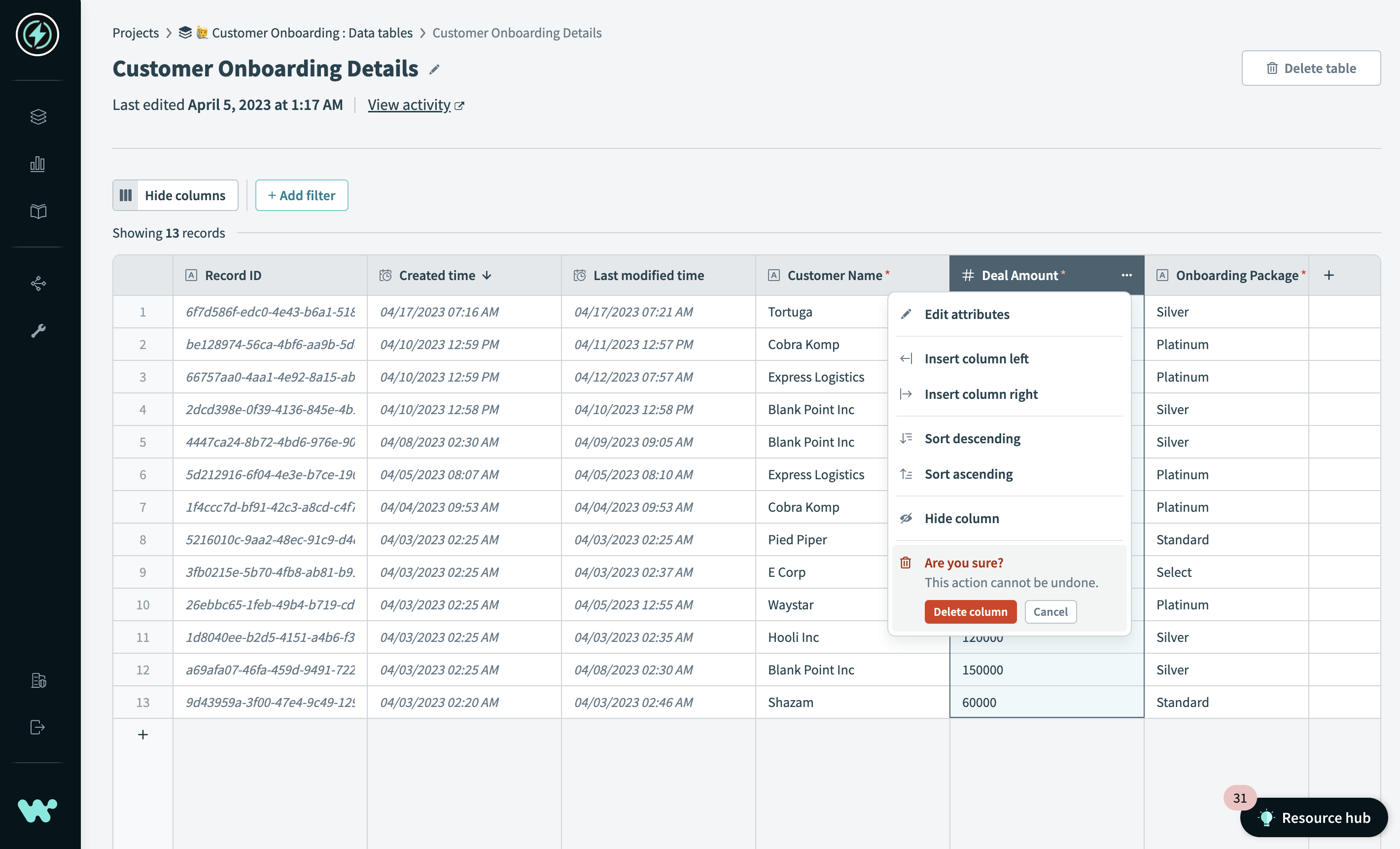
Table Storage Delete a column

To delete a column:

1

Hover over the column name.

2

Click ... (ellipsis).

3

Select Delete column.

← Edit a column
Column types →


Last updated: 5/25/2023, 11:52:43 PM

Product
How it works
Pricing
What's New
Recipes
Security
Documentation
Product blog
Solutions
HR
Sales
Marketing
Finance
Support
IT
Product (Embed)
Higher Ed
Revenue Operations
Resources
Docs
Customer Success
Content Library
Systematic Community
Workato for Slack
Workato for MS Teams
Use cases
Product Led Sales
Order to Cash
Employee Onboarding
Embedded Integrations
Enterprise iPaaS
IT Help Desk
All use cases >
Applications
Salesforce
Slack
Marketo
NetSuite
ServiceNow
Workday
All Apps >
Company
About us
Customers
Blog
Press
Careers
Partners
Events
© Workato 2024 Privacy Legal Sitemap Contact: (844) 469-6752
The trademarks WORKATO®, WORKBOT® and WORK JAM® are registered in U.S. Patent & Trademark Office to Workato, Inc.