# Other formulas
This section covers formulas that work with a number of data types.
# null
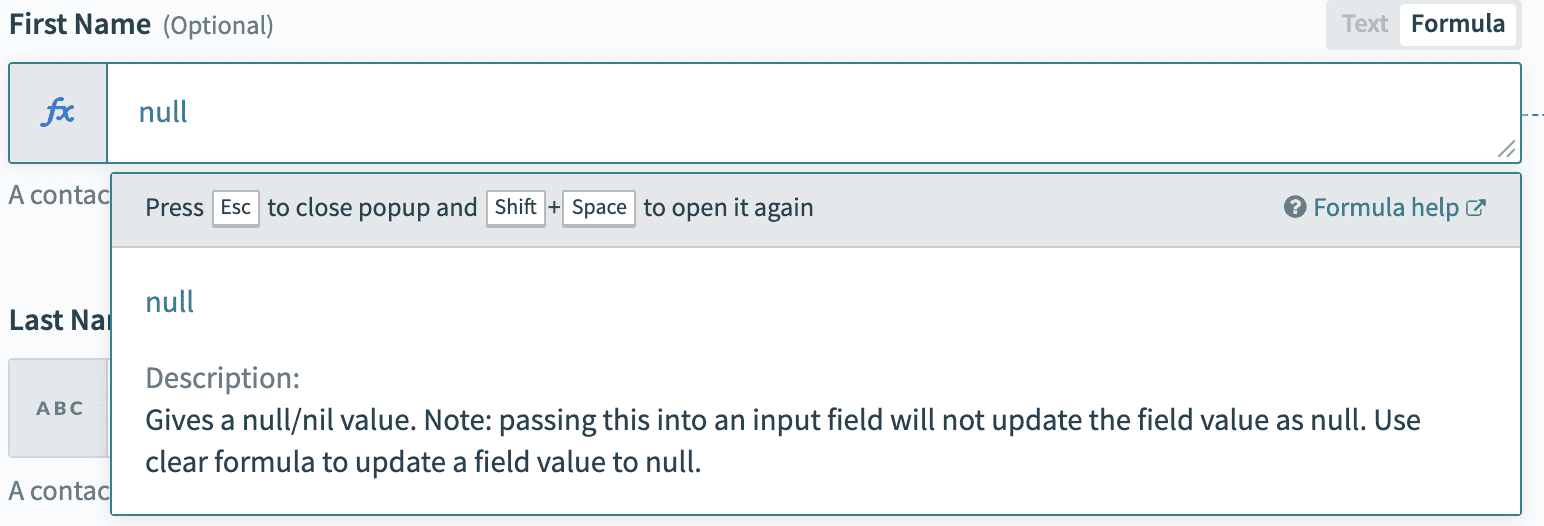
Gives a null/nil value. Note: passing this into an input field will not update the field value as null. Use clear formula to update a field value to null. Remember to toggle the field to formula mode.
# clear
Clears the value of the field in the target app to null/nil. Remember to toggle the field to formula mode.
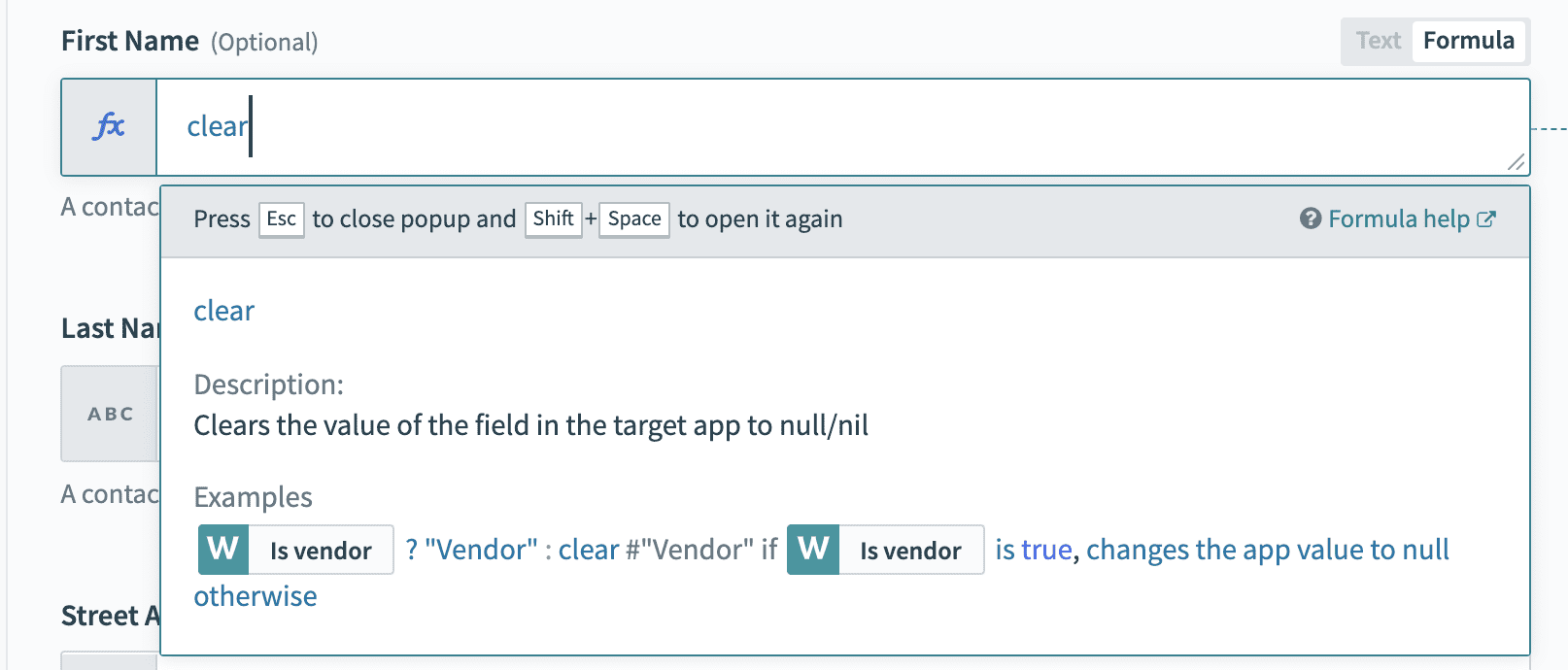 Use clear formula instead of null when looking to clear field in target app
# skip
Passes nothing to the destination app for this field. If the field has an existing value, it will be left untouched.
# Example
This example attempts use an updated Salesforce record to update a lead in Marketo. It checks if the Salesforce Company is present. If yes, it will output the Salesforce Company into Marketo. Otherwise, the Marketo record is left untouched.
 Skip formula example use case
Skip this field if update datapill is empty
Use skip formula to leave existing values untouched in an update action.
# uuid
Generates an UUID.
# Example
| Example | Result |
|---|---|
| uuid | "c52d735a-aee4-4d44-ba1e-bcfa3734f553" |
# encrypt
Encrypts the input string with a secret key using AES-256-CBC algorithm. Encrypted output string is packed in RNCryptor V3 (opens new window) format and base64 encoded.
Note: The encryption key should not be hard coded in the recipe. Use environment properties (with key or password in the name) to store the encryption keys.
# Example
encrypt([ssn], [encryption_key])
# decrypt
Decrypts the encrypted input string with a secret key using AES-256-CBC algorithm. Encrypted input string should be packed in RNCryptor V3 (opens new window) format and base64 encoded.
Note: The encryption key should not be hard coded in the recipe. Use environment properties (with key or password in the name) to store the encryption keys.
# Example
decrypt([encrypted_ssn], [encryption_key])
# encode_sha256
Encodes a string or binary array using SHA256 algorithm
# Example
"hello".encode_sha256
# encode_hex
Converts binary string to its hex representation
# Example
| Example | Result |
|---|---|
"0101010101011010".encode_hex | "30313031303130313031303131303130" |
# decode_hex
Decode hexadecimal into binary string
# Example
| Example | Result |
|---|---|
"30313031303130313031303131303130".decode_hex | "0101010101011010" |
# decode_url
URL decode a string. This formula uses CGI.unescape to URL decoding.
# Example
| Example | Result |
|---|---|
'https%3A%2F%2Fworkato.com%2Ffoo%3Fbar%3Dat%23anchor'.decode_url | "https://workato.com/foo?bar=at#anchor (opens new window)" |
'%27Stop%21%27+said+Fred"'.decode_url | "'Stop!' said Fred" |
# encode_base64
Encode using Base64 algorithm
# Example
| Example | Result |
|---|---|
"Hello World!".encode_base64 | "aGVsbG8gd29ybGQh" |
# decode_base64
Decode using Base64 algorithm
# Example
| Example | Result |
|---|---|
"aGVsbG8gd29ybGQh".decode_base64.as_utf8 | "Hello World!" |
# encode_url
URL encode a string
# Example
| Example | Result |
|---|---|
"Hello World".encode_url | "Hello%20World" |
# encode_urlsafe_base64
Encode using urlsafe modification of Base64 algorithm
# Example
| Example | Result |
|---|---|
"Hello World".encode_urlsafe_base64 | "SGVsbG8gV29ybGQ=" |
# decode_urlsafe_base64
Decode using urlsafe modification of Base64 algorithm
# Example
| Example | Result |
|---|---|
"SGVsbG8gV29ybGQ".decode_urlsafe_base64 | "Hello World" |
# as_string
Decode byte sequence as string in given encoding
# Example
| Example | Result |
|---|---|
"SGVsbG8gV29ybGQ=".decode_base64.as_string('utf-8') | "Hello World" |
# as_utf8
Decode byte sequence as UTF-8 string
# Example
| Example | Result |
|---|---|
"SGVsbG8gV29ybGQ=".decode_base64.as_utf8 | "Hello World" |
# to_hex
Converts binary string to its hex representation
# Example
| Example | Result |
|---|---|
"SGVsbG8gV29ybGQ=".decode_base64.to_hex | "48656c6c6f20576f726c64" |
# SHA1
Encrypts a given string using the SHA1 encryption algorithm. Details here (opens new window)
# Example
| Example | Result |
|---|---|
"abcdef".sha1.encode_base64 | "H4rBDyPFtbwRZ72oS4M+XAV6d9I=" |
# HMAC formulae
Creates a HMAC signatures with a variety of signing algorithms
# Example
| Signing algorithm | Example |
|---|---|
| SHA-256 | "username:password:nonce".hmac_sha256("key") |
| SHA-1 | "username:password:nonce".hmac_sha1("key") |
| SHA-512 | "username:password:nonce".hmac_sha512("key") |
| MD5 | "username:password:nonce".hmac_md5("key") |
# md5_hexdigest
Accepts a string and creates message digest using the MD5 Message-Digest Algorithm
# Example
| Example | Result |
|---|---|
"hello".md5_hexdigest | "5d41402abc4b2a76b9719d911017c592" |
# jwt_decode
Decodes a JSON web token (JWT) using one of the following algorithms - RS256, RS384, RS512, HS256, HS384, HS512, ES256, ES384, or ES512.
# Example
| Example | Result |
|---|---|
workato.jwt_decode( "eyJhbGciO...", "PEM key", \'RS256\') | "{"payload" => {"sub"=>"123", "name"=>"John", ...}, "header" => {"typ"=>"JWT", "alg"=>"RS256"}}" |
workato.jwt_decode( "eyJhbGciO...", "PEM key", \'RS512\') | "{"payload" => {"sub"=>"123", "name"=>"John", ...}, "header" => {"typ"=>"JWT", "alg"=>"RS512"}}" |
workato.jwt_decode( "eyJhbGciO...", "my$ecretK3y", \'HS256\') | "{"payload" => {"sub"=>"123", "name"=>"John", ...}, "header" => {"typ"=>"JWT", "alg"=>"HS256"}}" |
# jwt_encode
Creates a Jason web token (JWT) using one of the following algorithms - RS256, RS384, RS512, HS256, HS384, HS512, ES256, ES384, or ES512. Adds other named parameters to the header, such as kid in the following example:
# Example
| Example | Result |
|---|---|
workato.jwt_encode({ name: "John Doe" }, "PEM key", 'RS256') | "eyJhbGciO..." |
workato.jwt_encode({ name: "John Doe" }, "PEM key", 'RS512', kid: "24668") | "eyJ0eXAiO..." |
workato.jwt_encode({ name: "John Doe" }, "my$ecretK3y", 'HS256', kid: "24668") | "eyJ0eXAiO..." |
workato.jwt_encode({ name: "John Doe" }, "my$ecretK3y", 'HS256') | "eyJ0eXAiO..." |
workato.jwt_encode({ name: "John Doe" }, "ECDSA Key", 'ES256') | "eyJhbGciOiJ..." |
# parse_yaml
Parse a YAML string. Supports true, false, nil, numbers, strings, arrays, hashes
# Example
| Example | Result |
|---|---|
workato.parse_yaml("---\nfoo: bar") | "{ "foo" => "bar" }" |
workato.parse_yaml("---\n- 1\n- 2\n- 3\n") | "[1, 2, 3]" |
# render_yaml
Render an object into a YAML string.
# Example
| Example | Result |
|---|---|
workato.render_yaml({ "foo" => "bar" }) | "---\nfoo: bar\n" |
workato.render_yaml([1,2,3]) | "---\n- 1\n- 2\n- 3\n" |
# lookup
This formula allows you to lookup values from your Workato lookup tables via a key. It is case sensitive and data type sensitive.
If you use a data pill in the lookup formula, it is recommended that the data is converted to the right format. For example, integer-type data pills should be converted to string with a .to_s formula if comparing to a column containing both integers and strings.
# Example
For example, let's use the following lookup table with name Department Codes with an ID of 6:
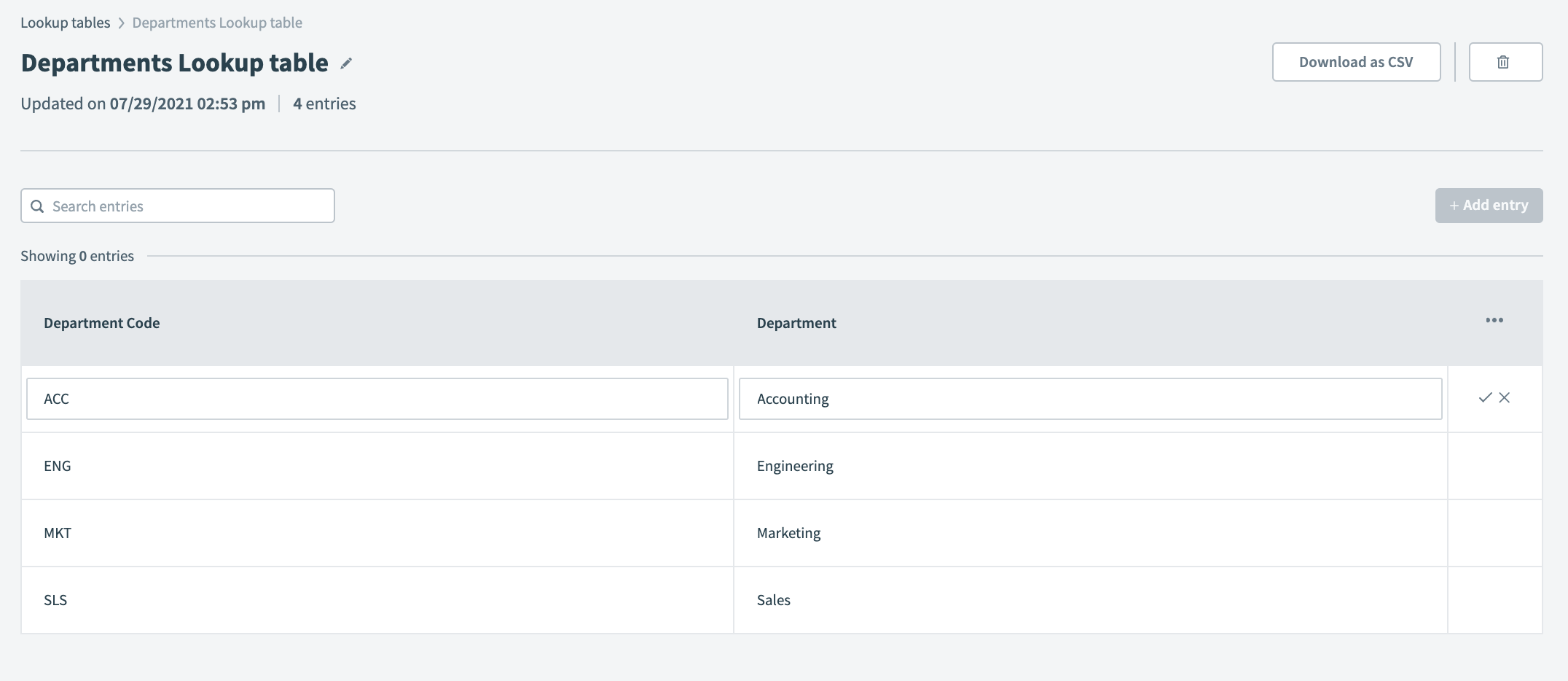 Sample department codes lookup table
| Example | Result |
|---|---|
lookup('Department Lookup table', 'Department code': 'ACC')['Department'] | "Accounting" |
lookup('Department Lookup table', 'Department code': 'SLS')['Department'] | "Sales" |
lookup('Department Lookup table', 'Department': 'Marketing')['Department code'] | "MKT" |
lookup('Department Lookup table', 'Department': 'marketing')['Department code'] | nil Matching is case sensitive, unable to find value "Marketing" |
lookup('Department Lookup table', 'Department': 'Marketing')['Department Code'] | nil Matching is case sensitive, unable to find column "Department Code" |
lookup('6', 'Department code': 'ACC')['Department'] | "Accounting" Note: Remember to enclose the lookup table ID in quotes "". |
Using Lookup ID
You can using the lookup table name and lookup table ID interchangeability. You can find the lookup table ID in the URL.
For example:
https://app.workato.com/lookup_tables/<lookup_table_id>
# lookup_table
This formula allows you to create a static lookup table and define the keys and values. It is case-sensitive and datatype-sensitive.
# Example
| Example | Result |
|---|---|
{"key1" => "value1", "key2" => "value2", "key3" => "value3"}["key2"] | "value2" |
{"High" => "urgent", "Medium" => "mid", "Low" => "normal"}["Low"] | "normal" |
{"High" => "urgent", "Medium" => "mid", "Low" => "normal"}["low"] | nil |
{"High" => "urgent", "Medium" => "mid", "Low" => "normal"}["normal"] | nil |
{1 => "1", 2 => "2", 3 => "3"}[2] | "2" |
{1 => "1", 2 => "2", 3 => "3"}[2.0] | nil |
{1 => "1", 2 => "2", 3 => "3"}["2"] | nil |
Last updated: 3/9/2023, 10:06:38 PM