# SharePoint
SharePoint (opens new window) is a web-based collaboration, document management and storage system integrated with Microsoft Office.
Workato's SharePoint connector enables you to build even more integrations and automations around Sharepoint and other third-party applications.
# API
The SharePoint connector uses SharePoint REST API (opens new window).
# How to connect to SharePoint on Workato
# Register Workato app in SharePoint
Select
Azure Active Directory->App Registrations->New Application Registration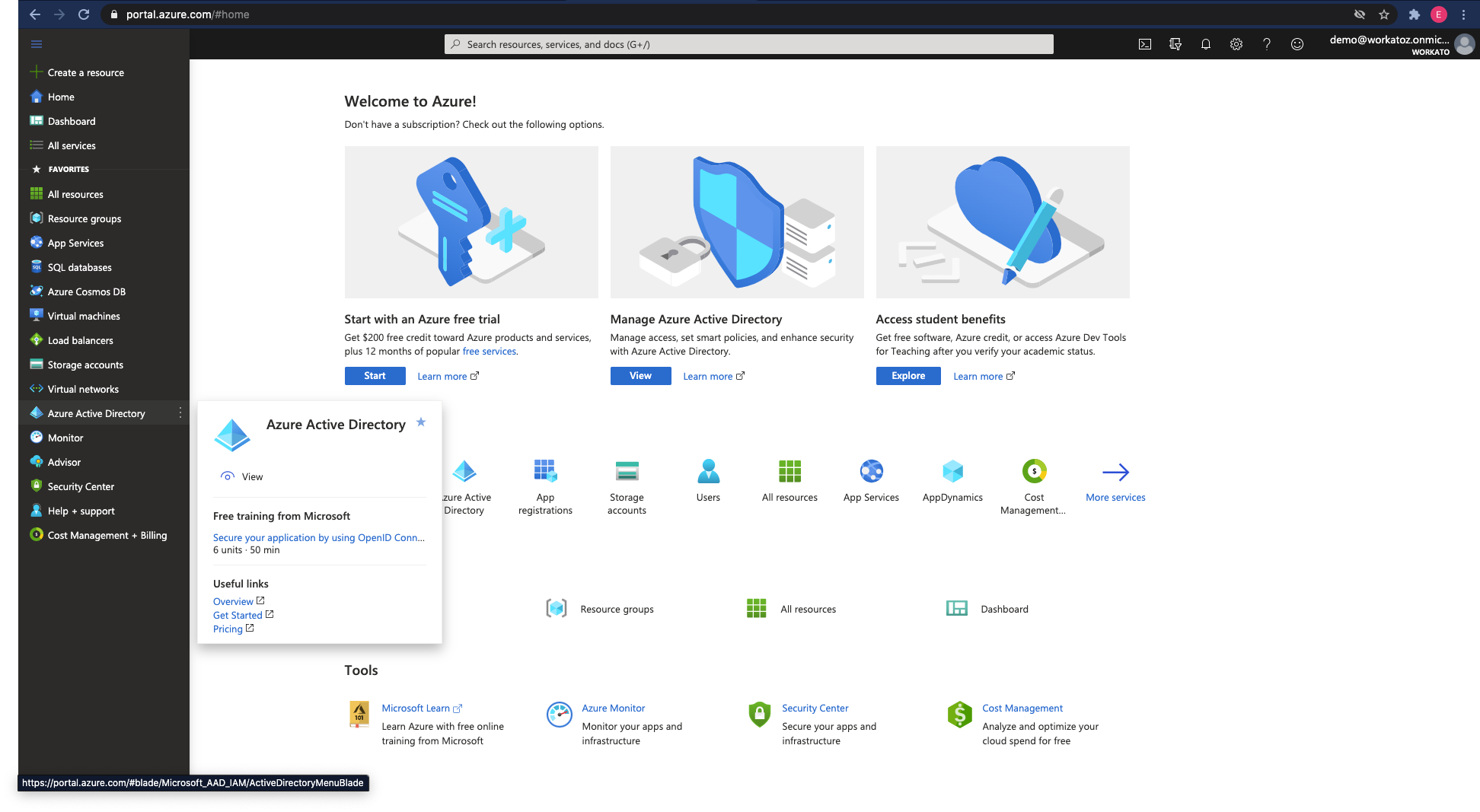
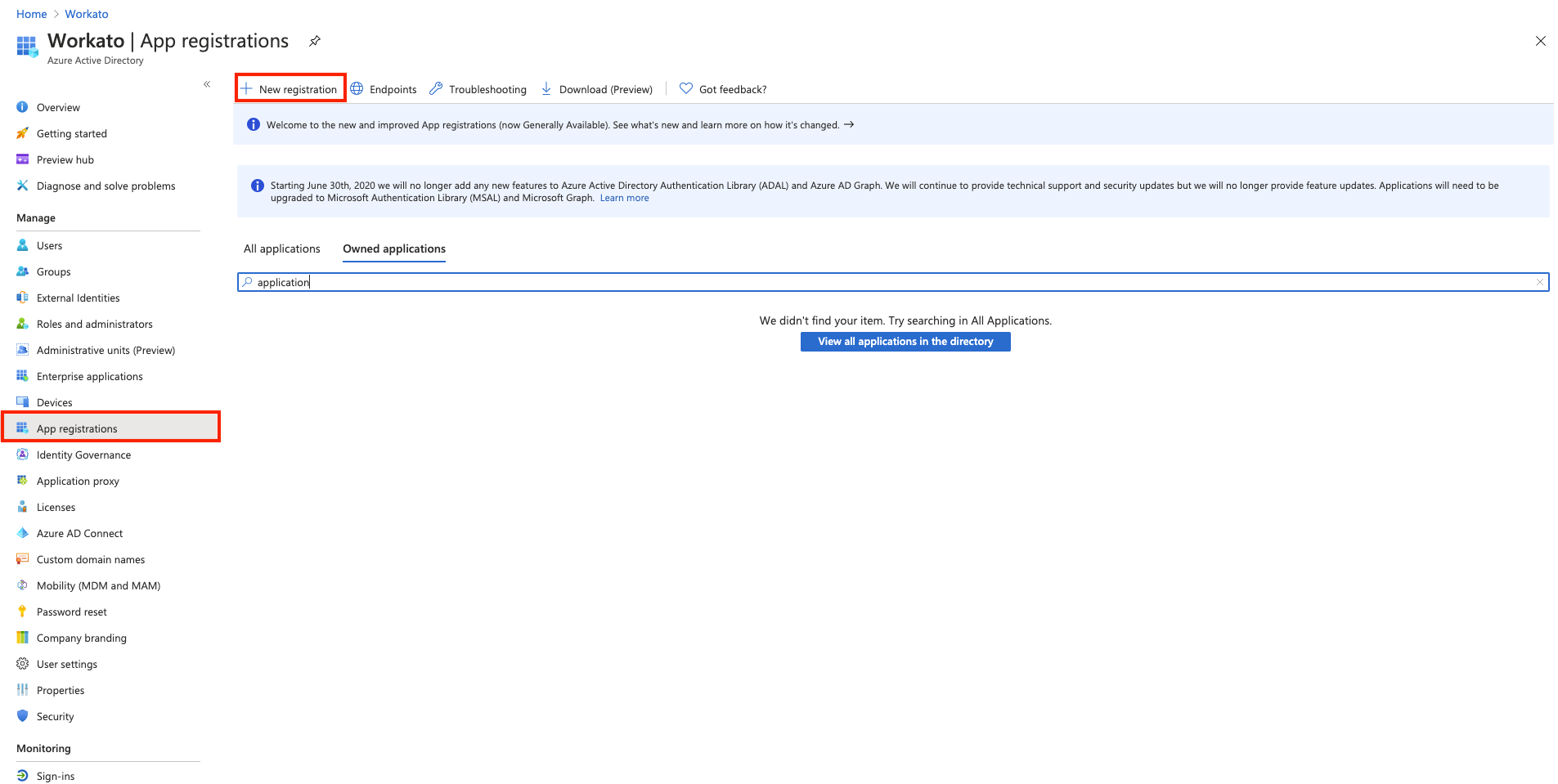
Give a unique name for the application, select the Application type as
Web, redirect URL ashttps://www.workato.com/oauth/callback, select an Account type, then selectRegister.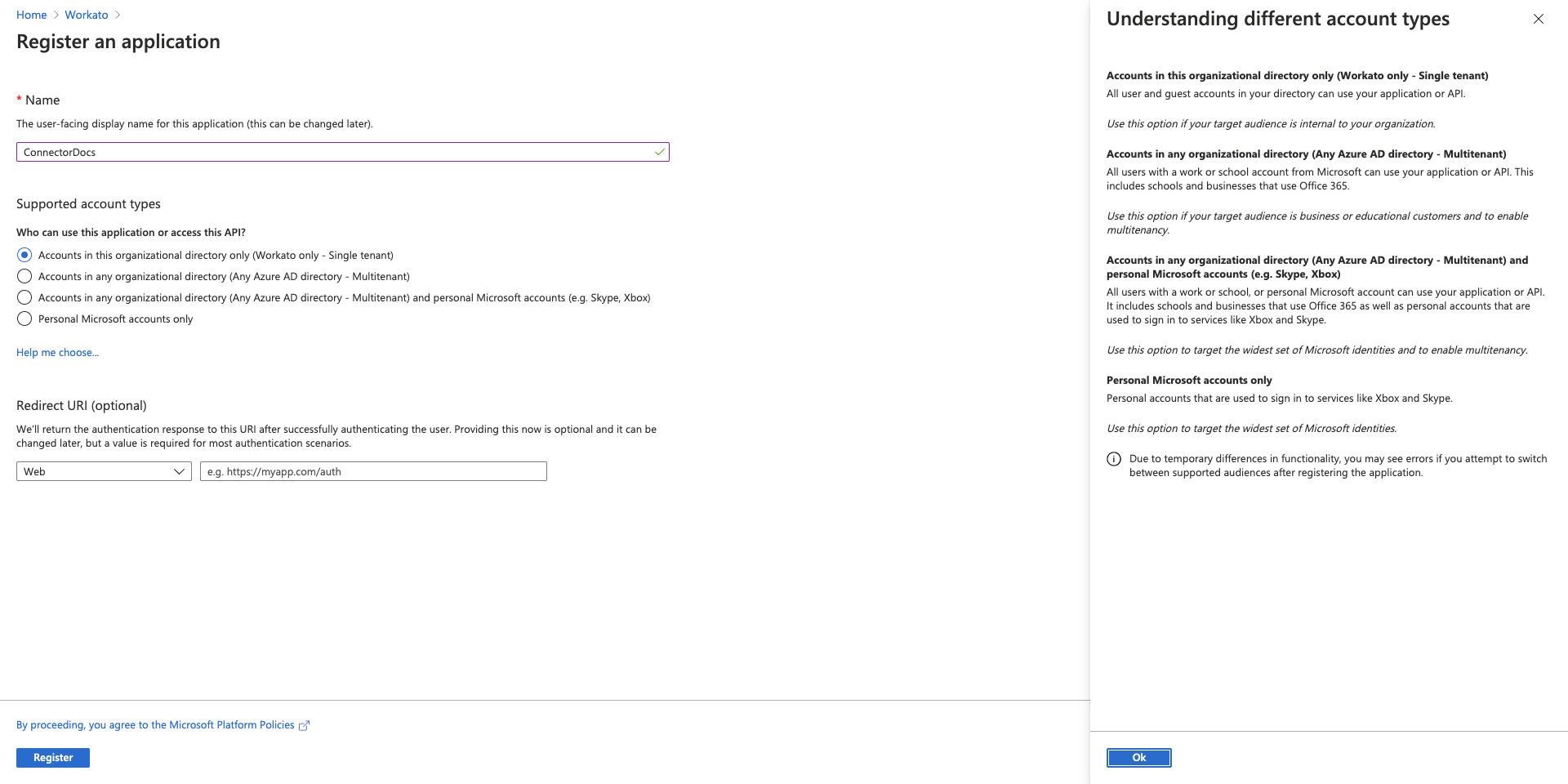
If you have not added a Workato redirect URI in the previous step, select the
Overviewfor the newly created app registration, click the link besideRedirect URIs.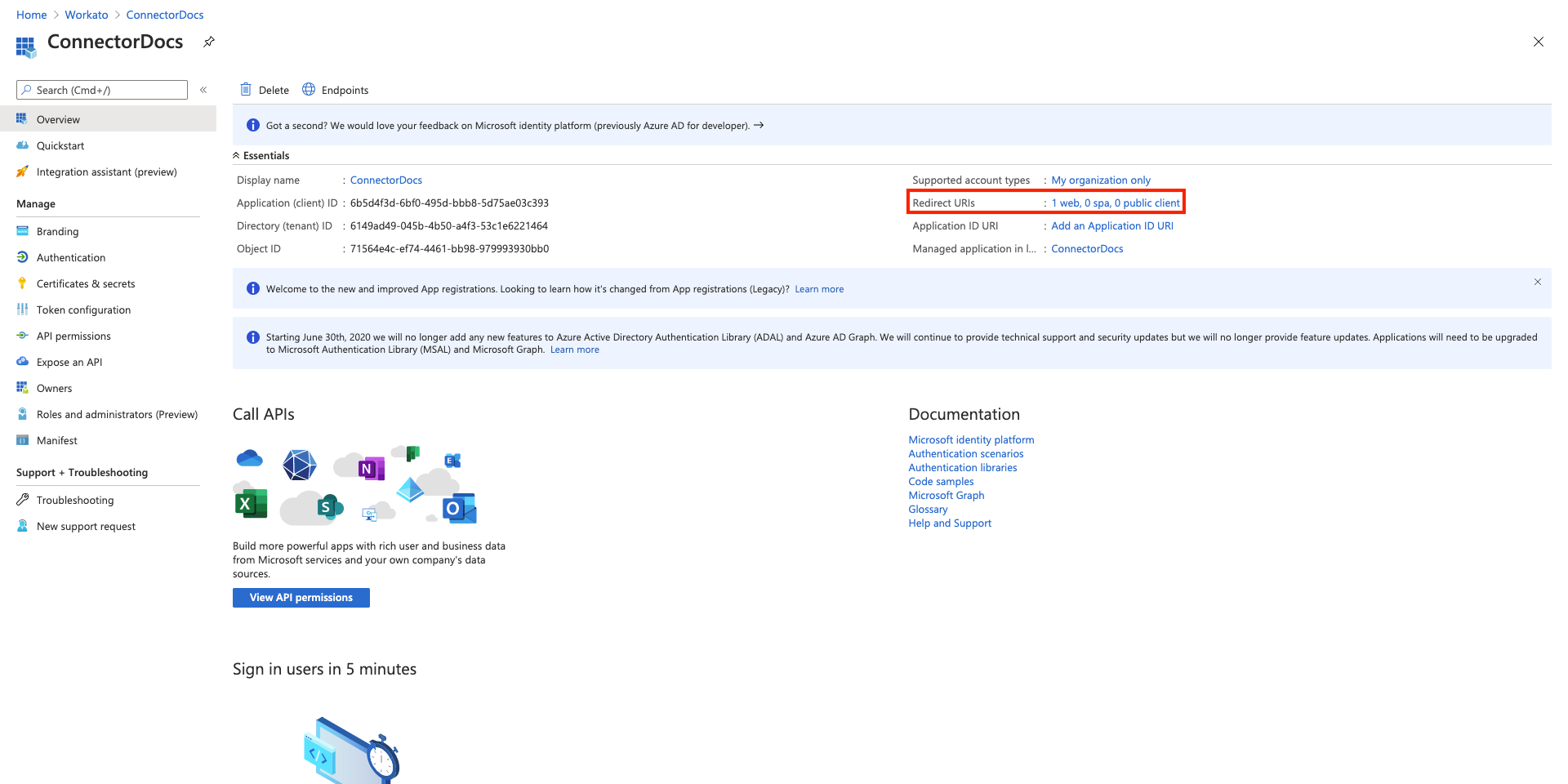
Under
Redirect URIs, add a new URI: https://www.workato.com/oauth/callback (opens new window). Click Save.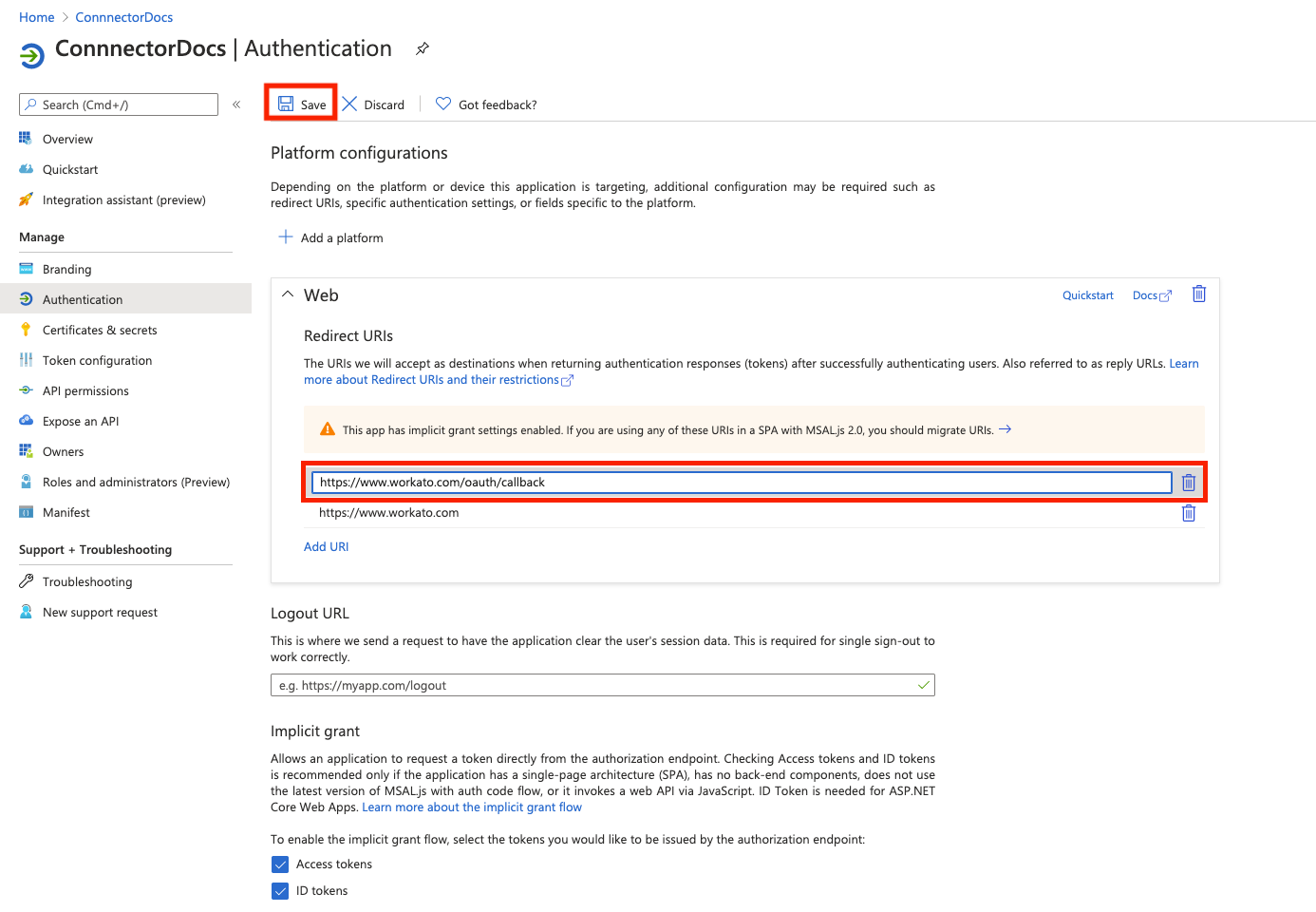
Click
API Permissionson the left hand menu and then clickAdd a permission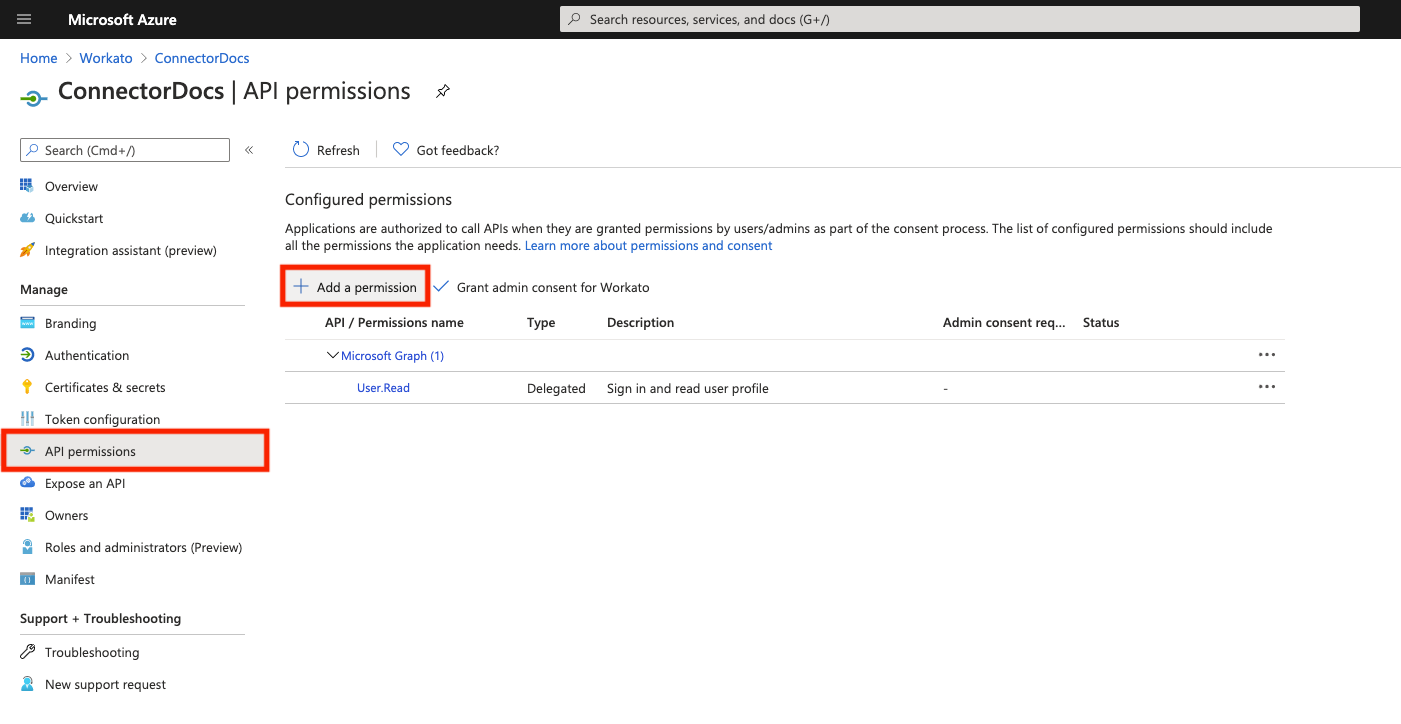
Select the
SharePointoption.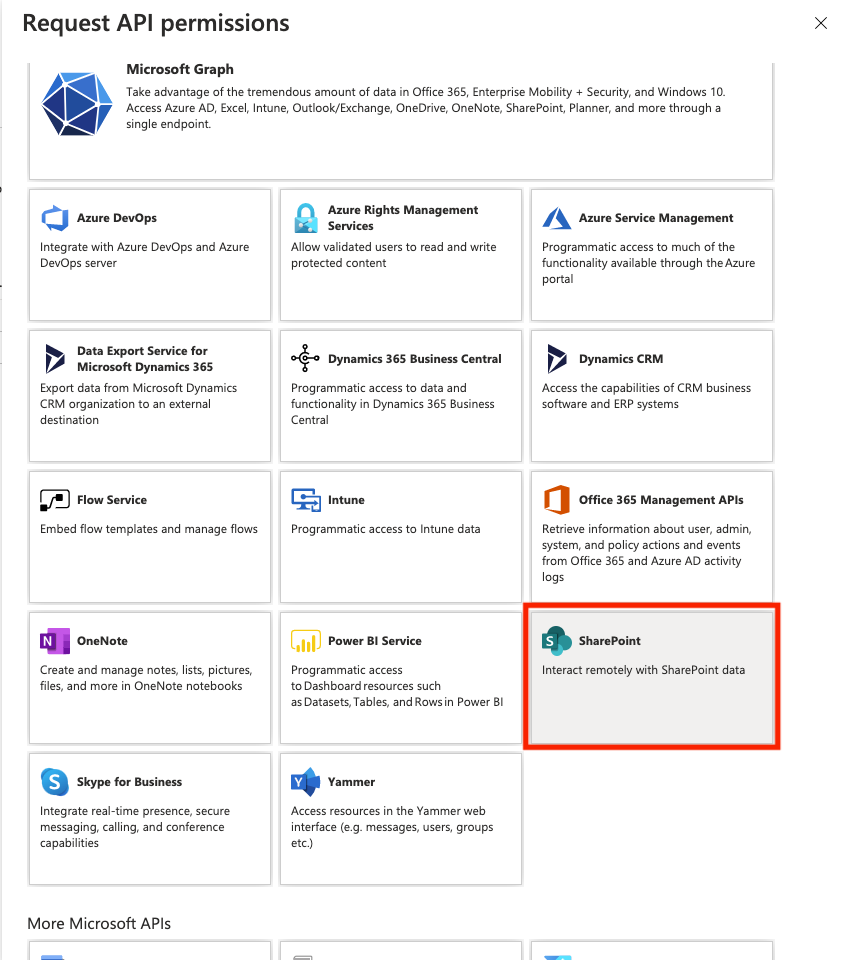
Select
Delegated permission.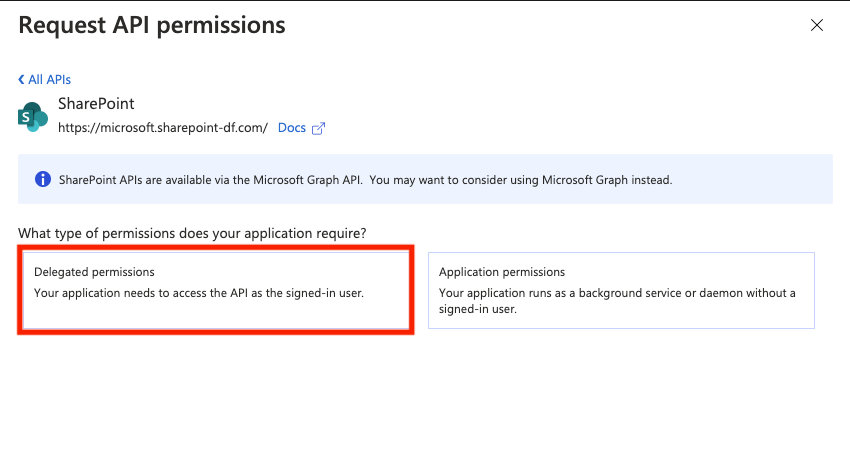
Expand
AllSitesand selectAllSites.Writethen clickAdd permission.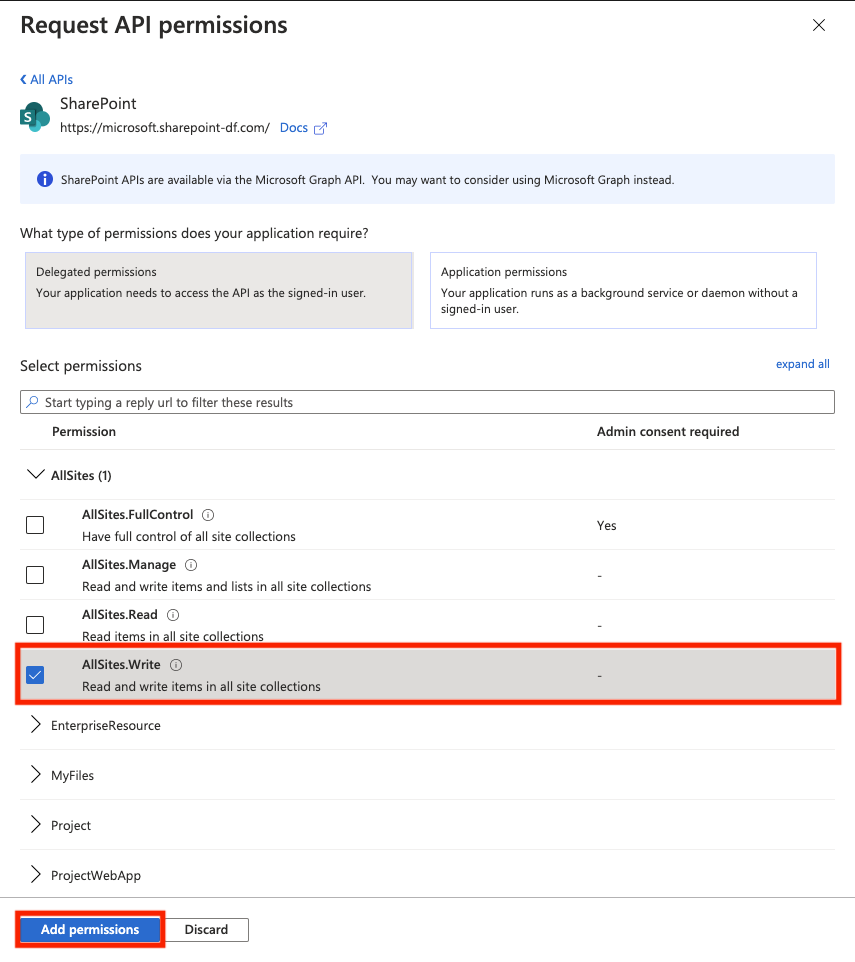
From the left hand menu, select
Certificates & secrets, then clickNew client secretunder Client secrets.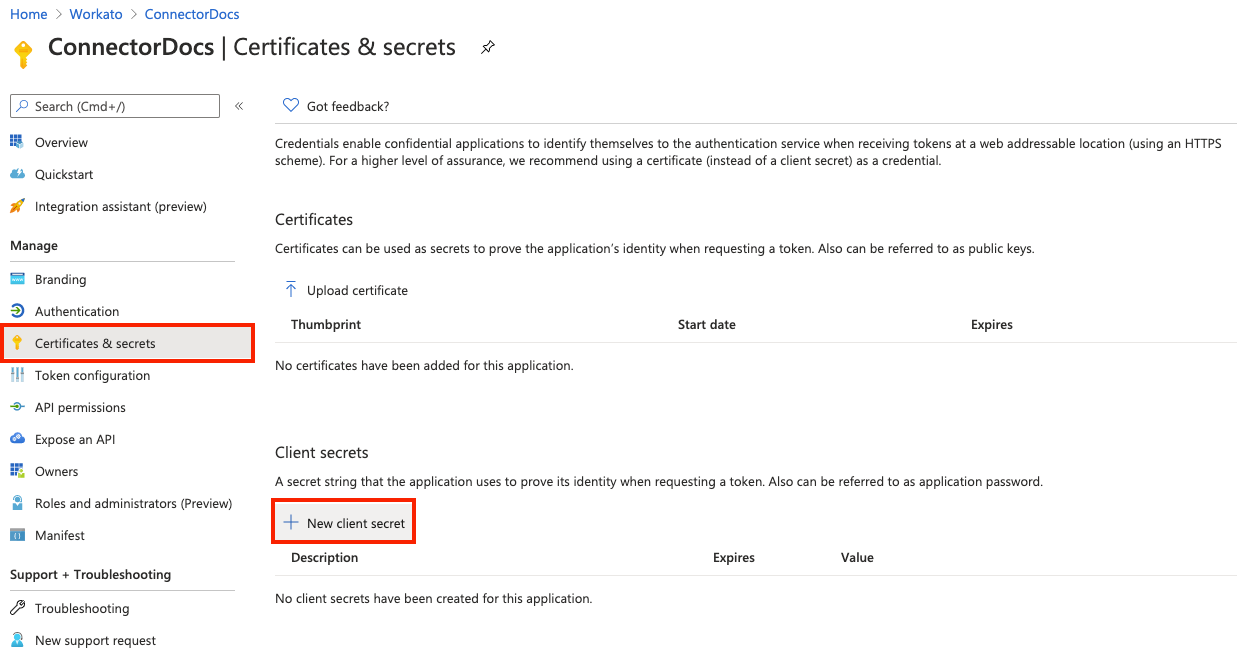
Enter a description for the client secret and select the Expires value then click
Add.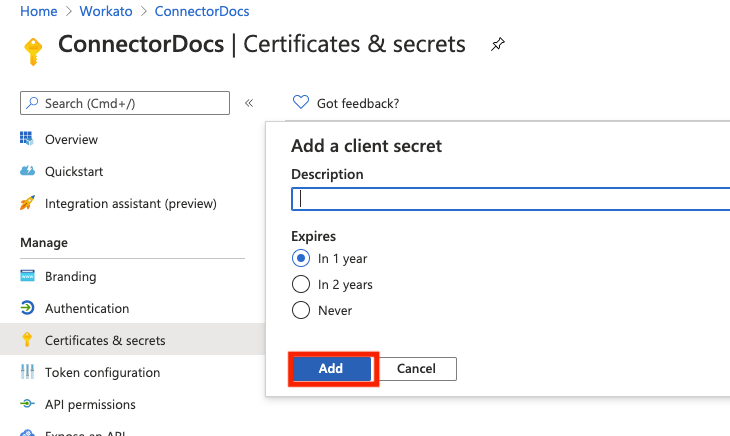
Once the secret has been generated, click the Copy to clipboard icon and save the client secret somewhere secure.
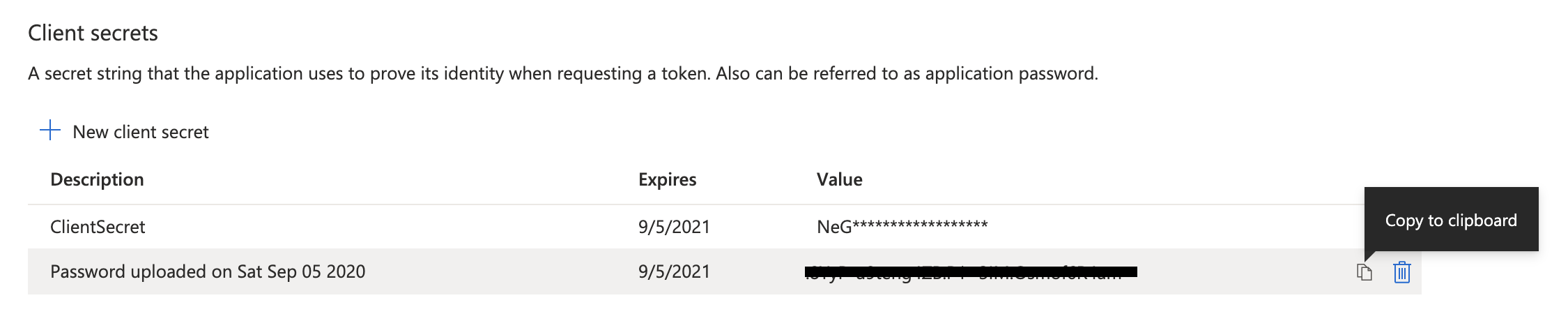
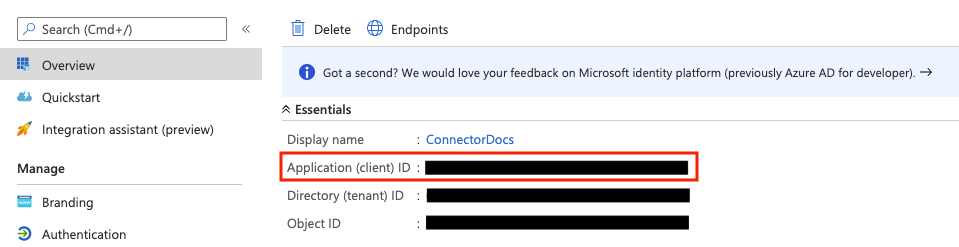
Click back to the Overview screen and copy the Application (client) ID value.
# Configure SharePoint connection in Workato
Once you have the client ID and client secret saved somewhere, you can now create a connection to your Sharepoint Online environment in ACC Connect.
Login to Workato to create SharePoint connection. Go to
App Connectionstab ->Create a new connection-> select the Sharepoint Connector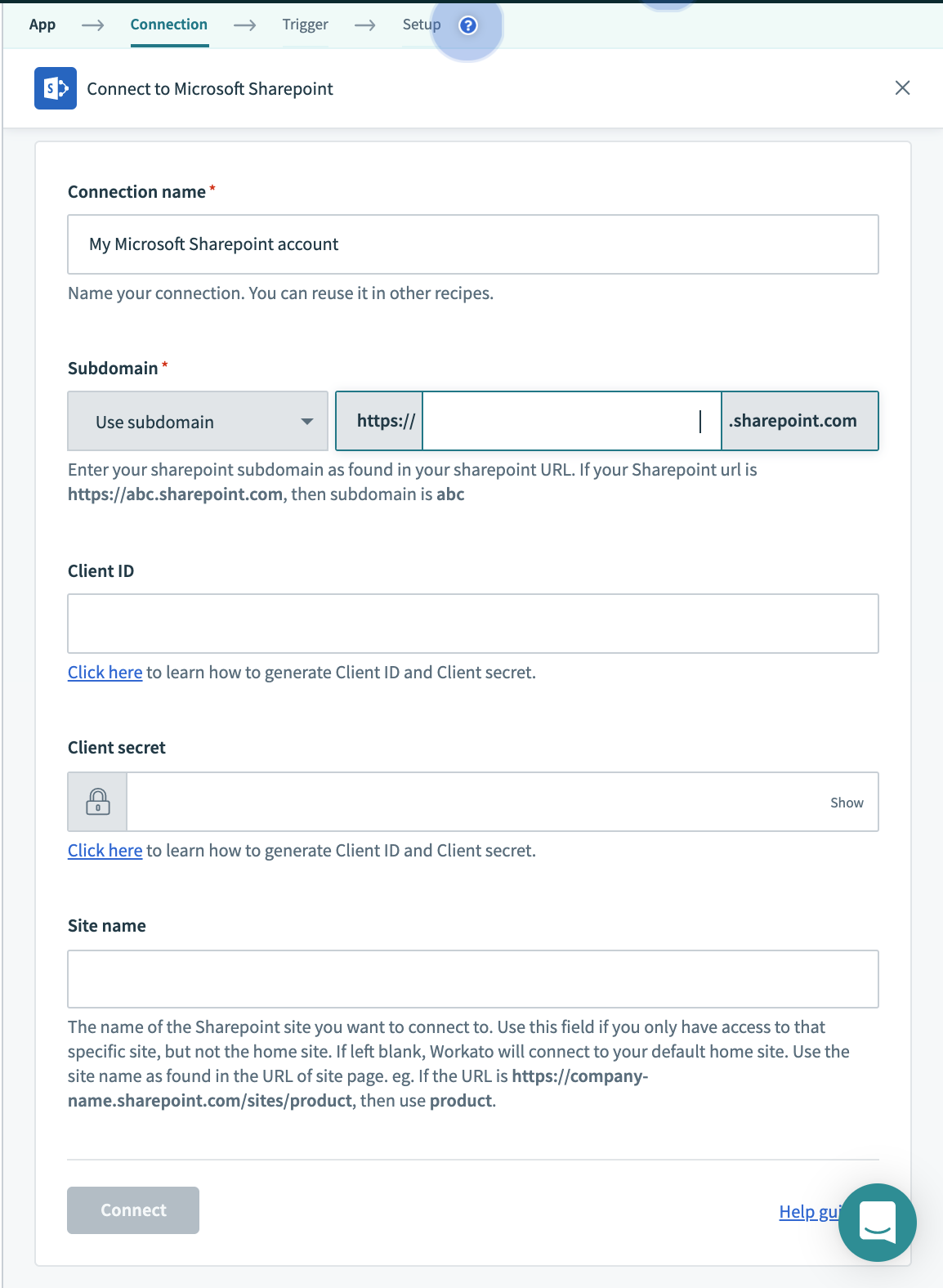
Enter the required fields. Use
Application IDfrom Step 13 asClient IDandClient Secretfrom Step 12 asClient Secret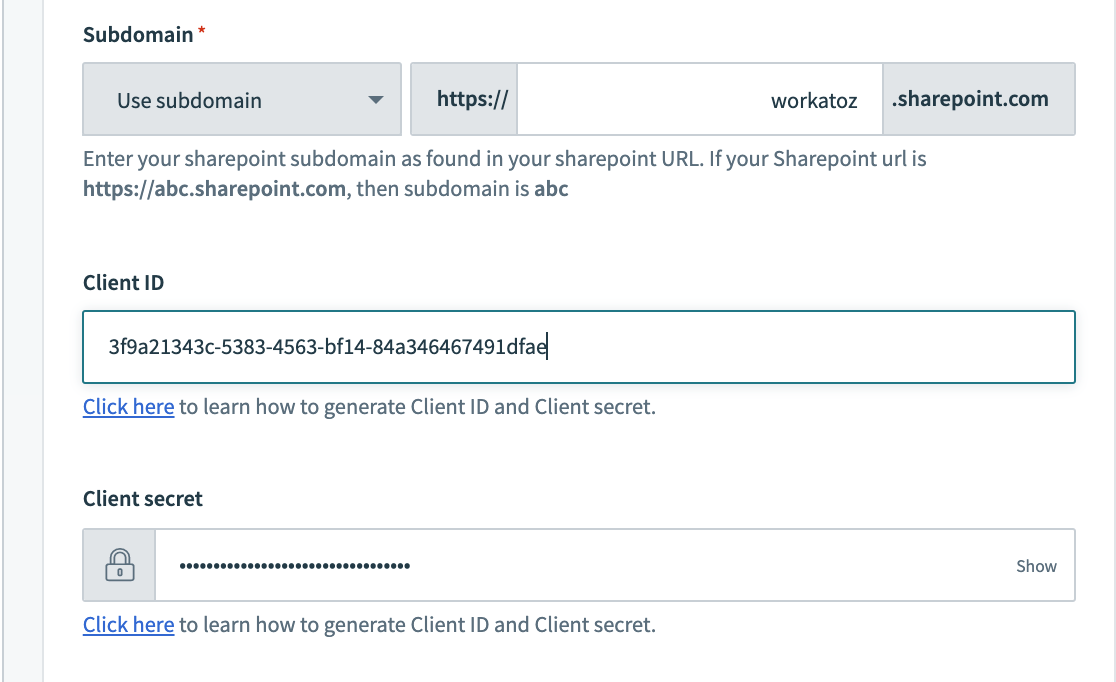
Select
Link your accountto connect Sharepoint and enter username and password in pop-up window.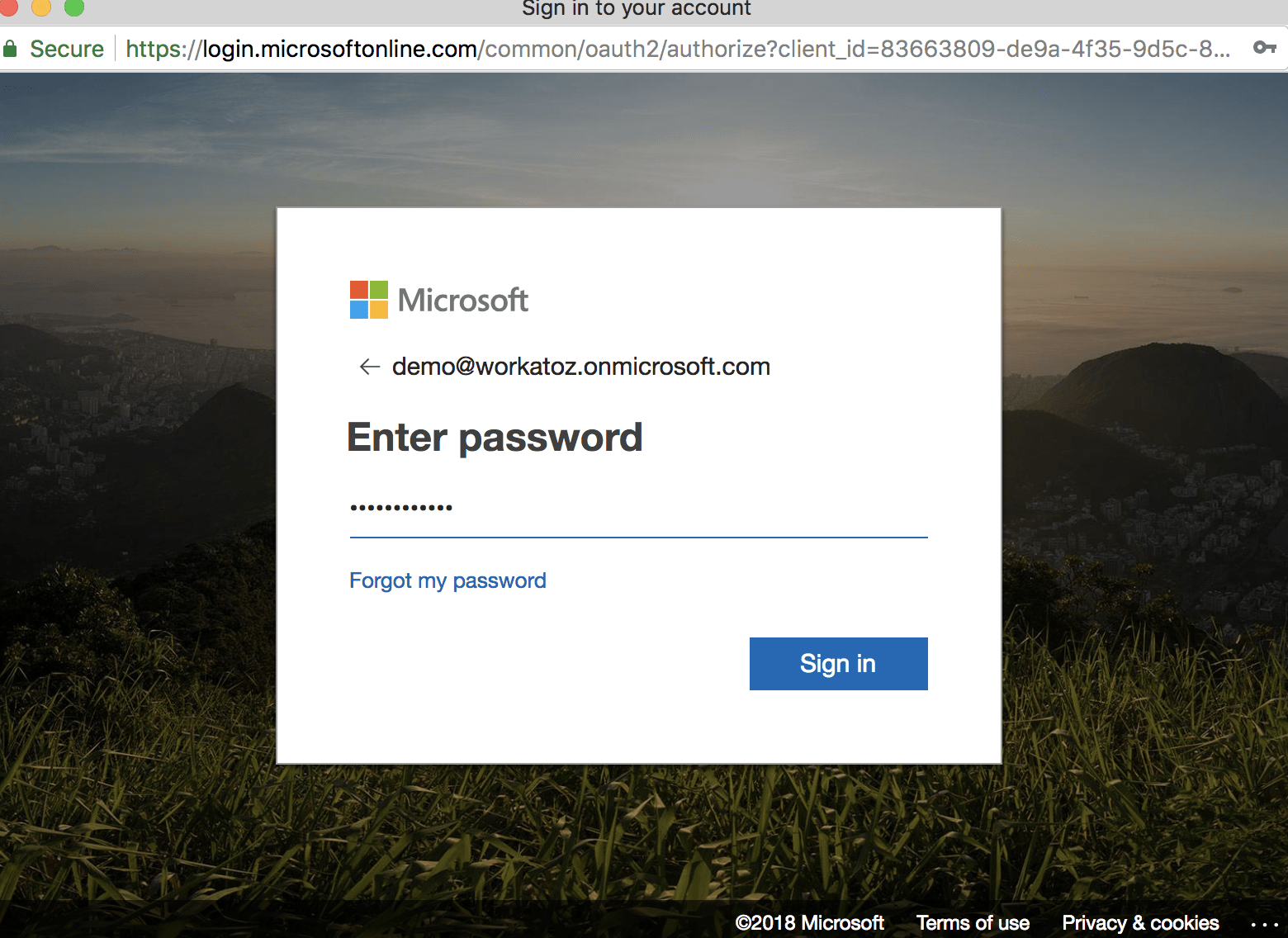
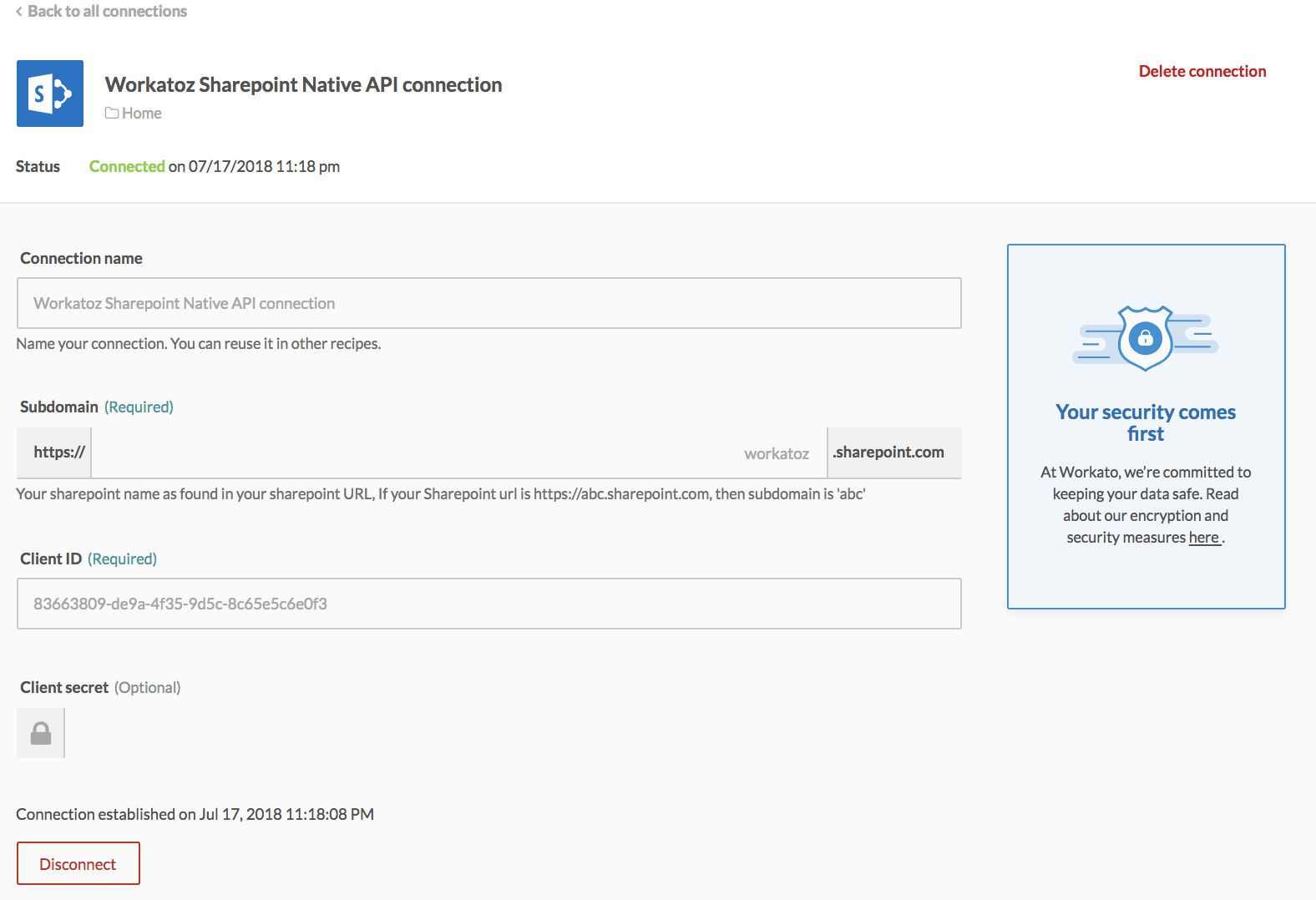
Connection should be established in Workato as shown below
Last updated: 7/2/2021, 8:43:36 AM