# LinkedIn - New Advertising Form Submitted Trigger
This trigger allows you to create jobs immediately when someone fills up an advertising form present in any of your LinkedIn Campaigns. This is a powerful trigger that allows you to send this information over to your CRM so your sales team can immediately follow up on leads.
# Input fields
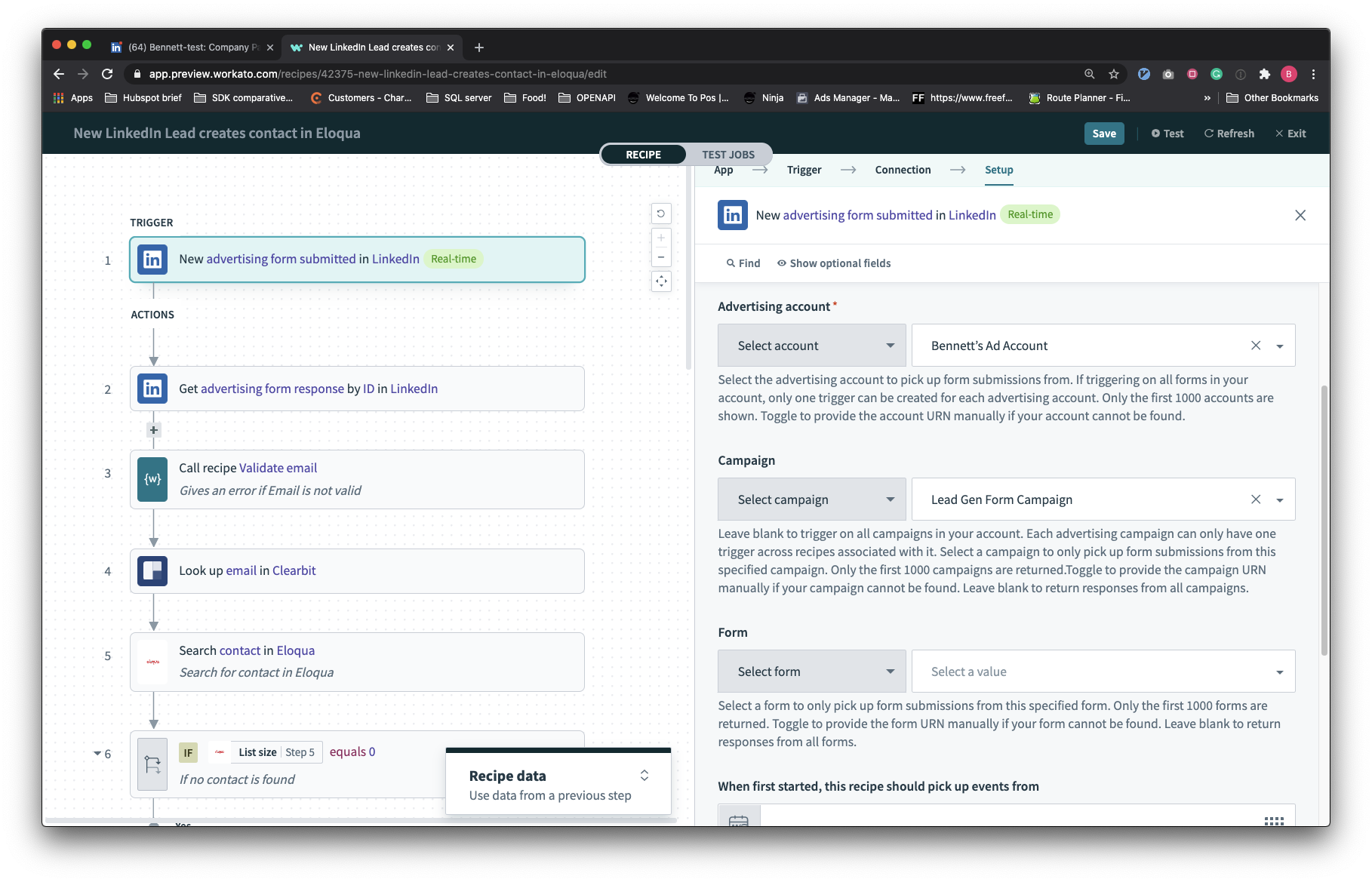
At minimum, you will need to select the advertising account which contains the campaigns which in turn contain the advertising forms which you want to pull leads from.
| Input field | Description |
|---|---|
| Advertising account | The advertising account which contains the advertising form to trigger off. If only this is configured, this recipe will trigger off all advertising form submissions across all campaigns and advertising forms in this advertising account. You can only have one recipe listening on the same advertising account. |
| Campaign | Use this to scope advertising form submissions to a specific campaign in your LinkedIn advertising account. If this is configured, this recipe will trigger off all advertising form submissions on this specific campaign. You cannot have more than one advertising form trigger listening on the same campaign. |
| Form | Use this to filter by specific advertising forms in your advertising account or campaign. |
| When first started, this recipe should pick up events from | This allows you to retrospectively pull leads from LinkedIn. This would be useful for initial loads when starting this recipe. You can pull leads created in the past 90 days. |
# Output fields
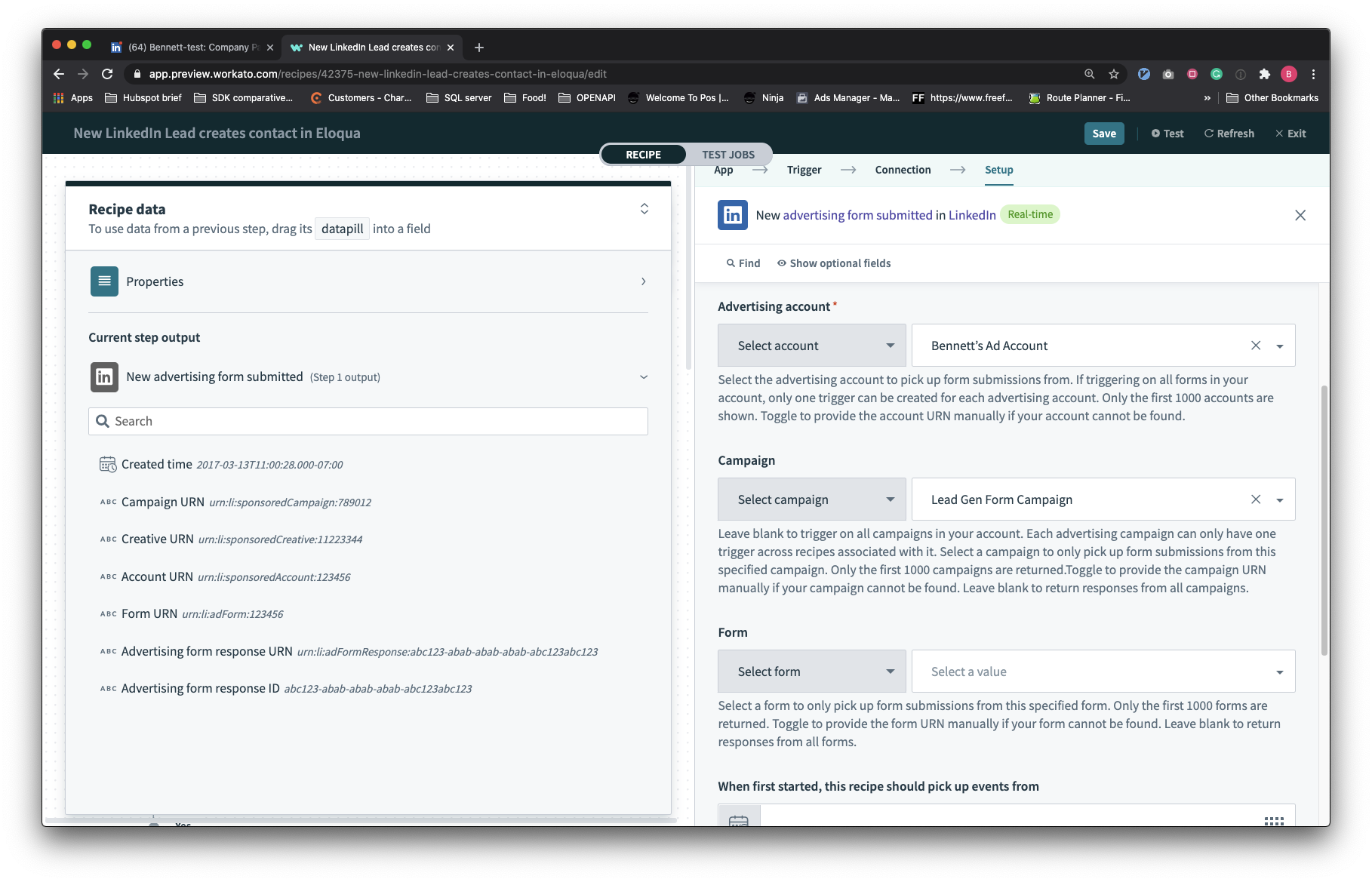
The output of this trigger is a lightweight record that contains the identifiers of this advertising form submission and its parent creative, campaign, account, and form.
# How to use the trigger
- Overcoming restrictions on the trigger
As LinkedIn imposes a one recipe rule for each advertising account or campaign, you will be unable to start multiple recipes that trigger off the same advertising account or campaign. To handle multiple automations based off the same advertising account or campaign, use Recipe functions.
- Getting details of the advertising form response
To get the contents of the answers to a specific advertising form response, use the Get advertising form response action.
Last updated: 11/17/2021, 9:16:36 PM