# LinkedIn Action - Get Advertising form response by ID
This action should be used along with our New Advertising Form submitted trigger. This allows you to retrieve the information about a specific advertising form submission such as the questions, answers, and contexts about the parent campaign/ advertising account or creative.
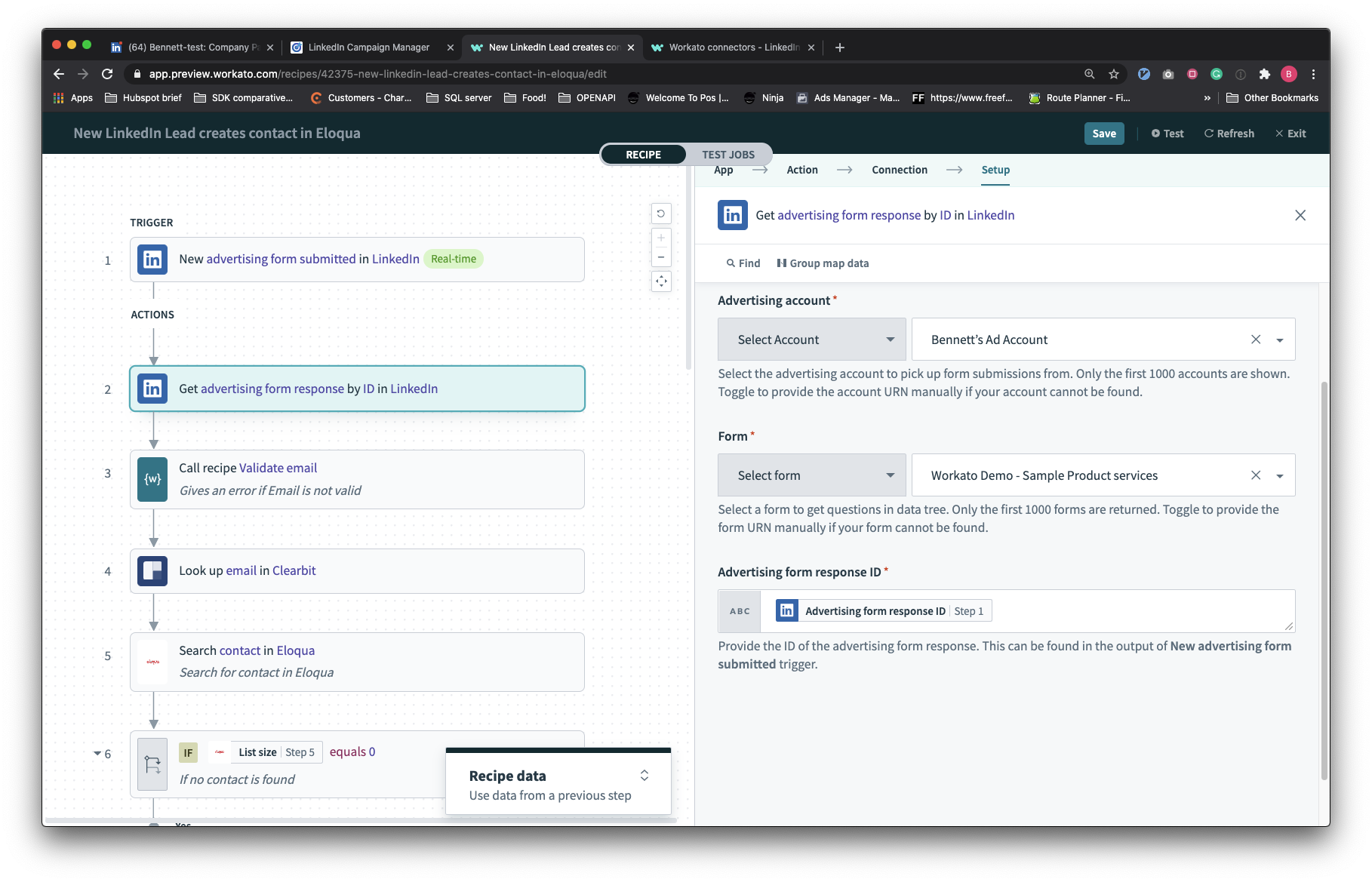
# Input fields
| Input field | Description |
|---|---|
| Advertising account | The advertising account which the form is coming from. This field cannot have a datapill mapped to it. |
| Form | The form that this advertising response belongs to. This is required for us to discern what are the custom questions in this advertising form. |
| Advertising form response ID | The advertising form response ID which can be found in the output of the trigger. |
# Output fields
The output of this action contains all information relevant to a user who has filled up this form. This includes campaign, creative, and answer information.
# Handling multiple advertising form types
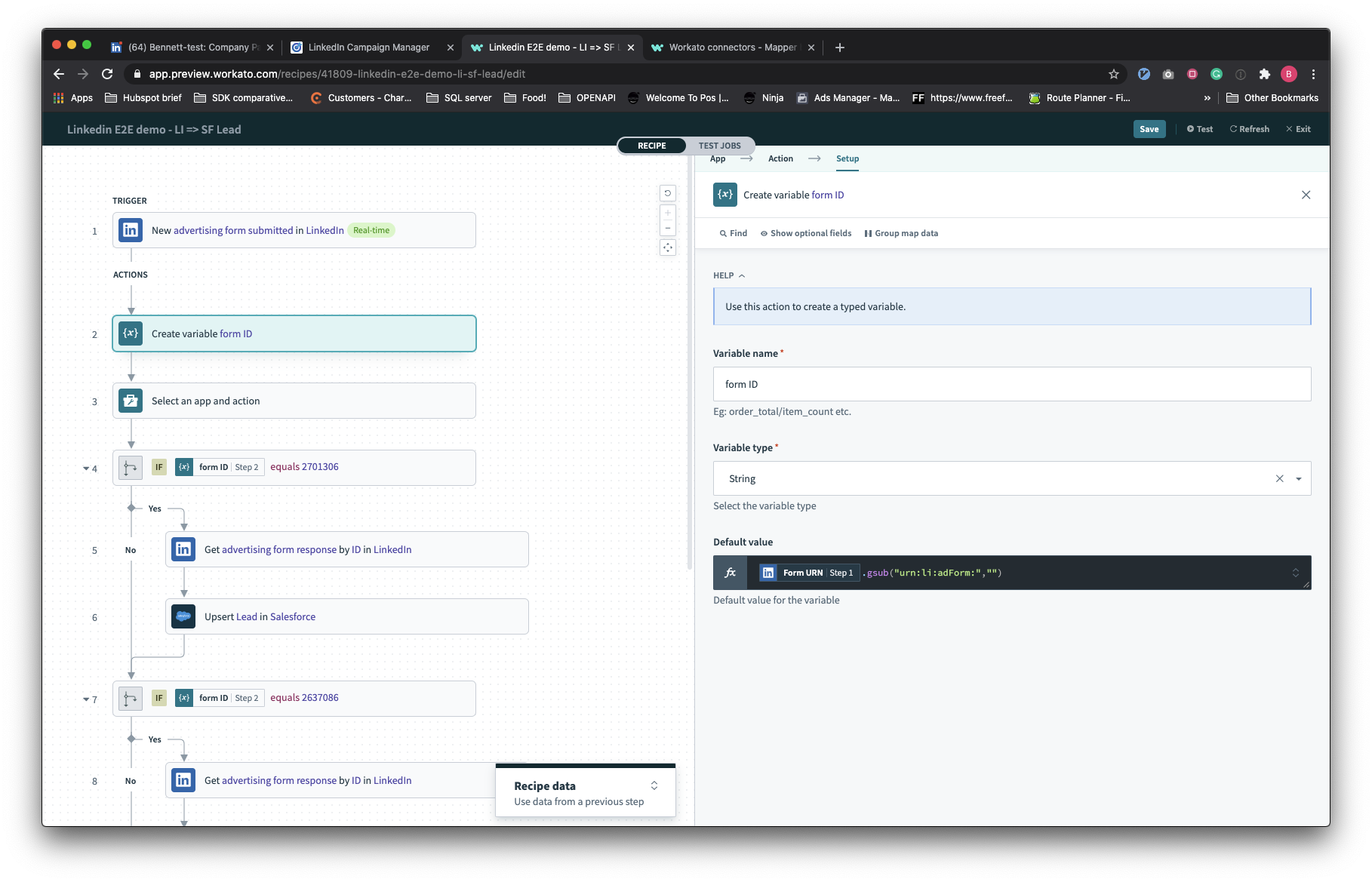
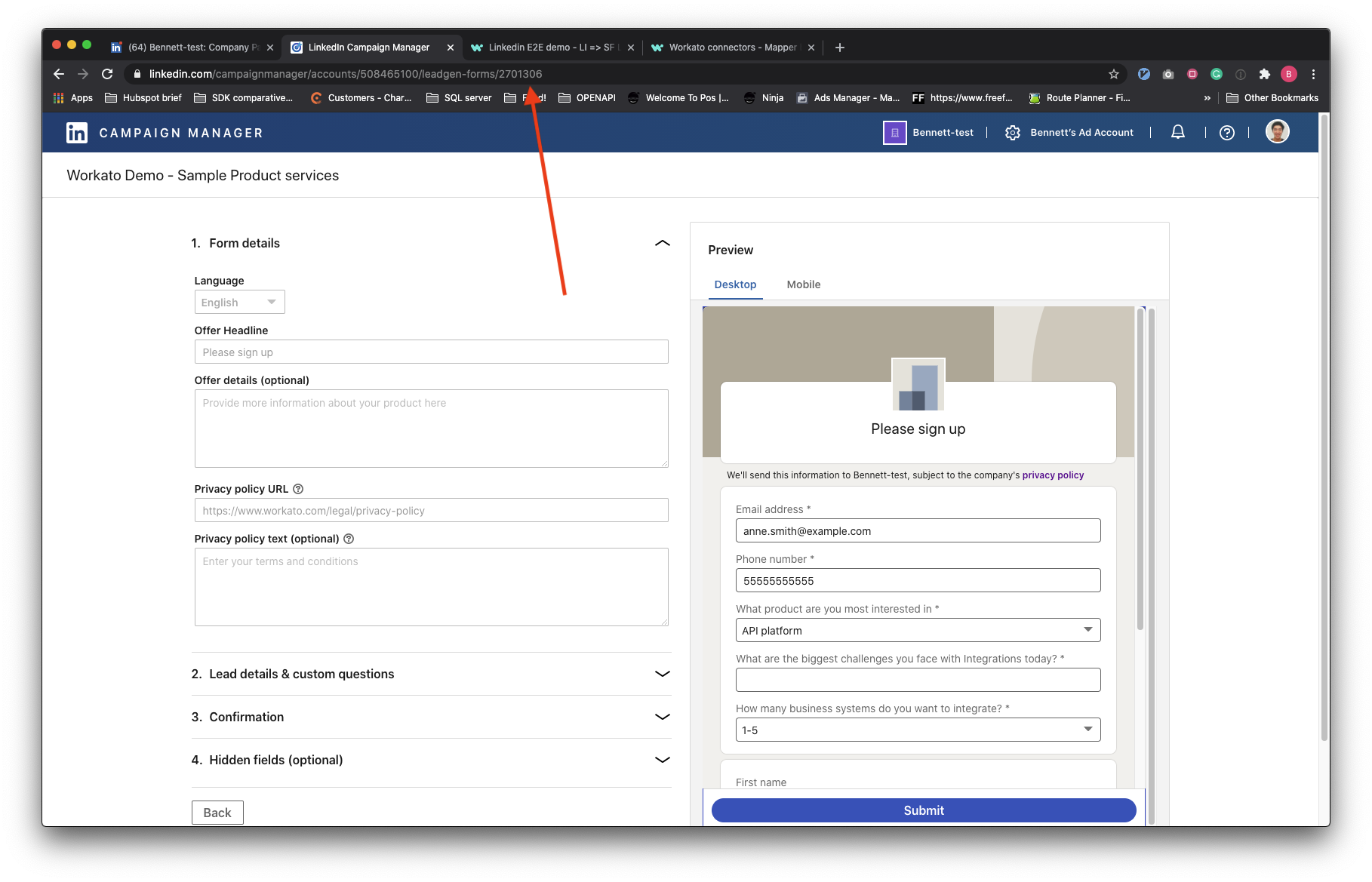
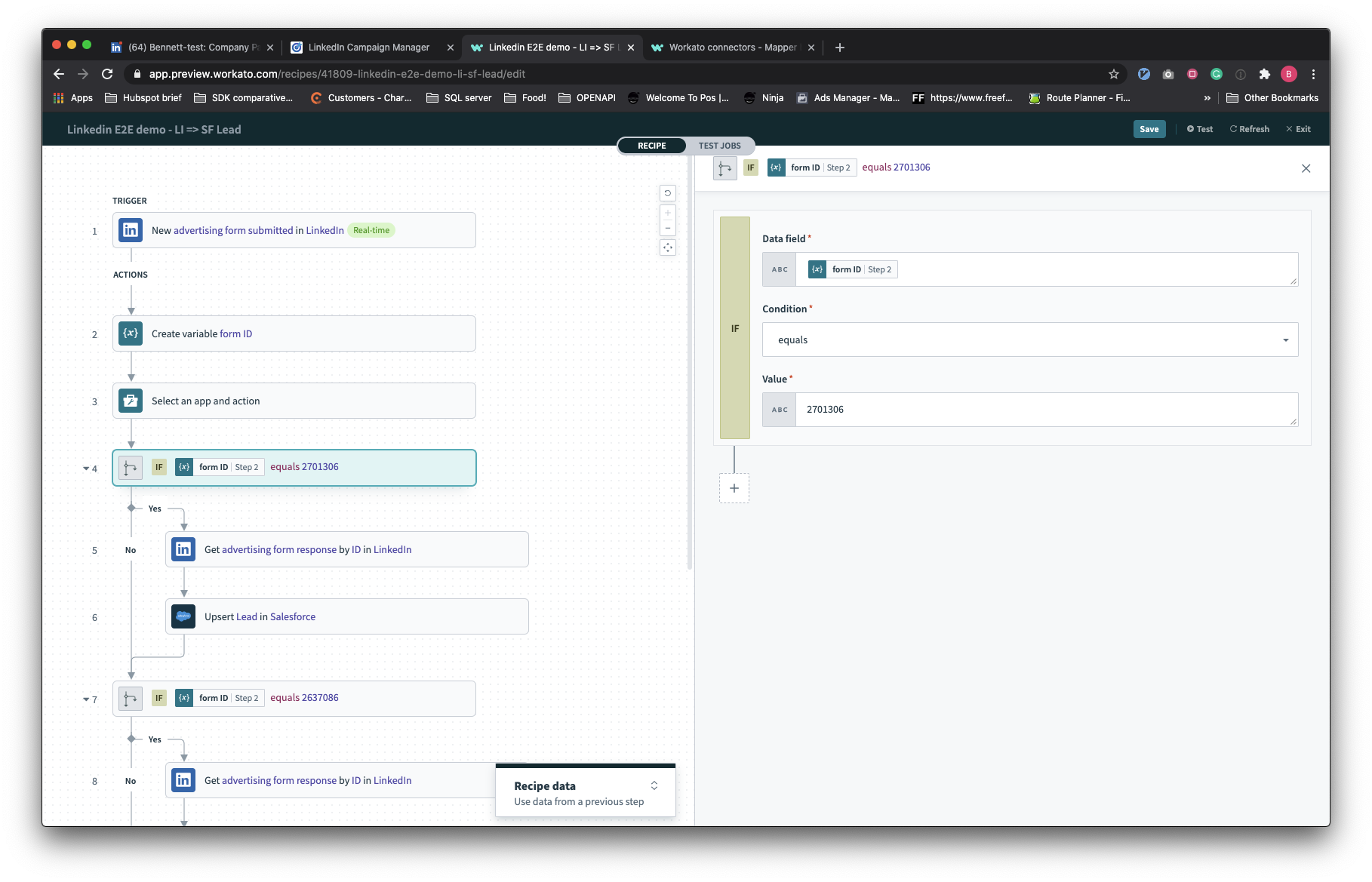
When your advertising account or campaign has multiple advertising forms used in the child creatives, you will need to use logical flows to route these responses to the correct Get Advertising Form response by ID action. This can be done by discerning the ID of the form through the output of the trigger.
Last updated: 7/2/2021, 8:18:31 AM