# Audit log streaming destinations
You can choose one of the following options as your audit stream destination:
Amazon S3 bucket
Select an Amazon S3 connection that has a region and bucket set up. The connection should have list and write access to the bucket.
Azure Monitor
Select an Azure Monitor connection that is tied to a log analytics workspace on your Azure tenant. Head over to the connection docs to learn more.
Azure Blob storage
Select an Azure Blob connection that has containers set up. The connection should have read/write access to the containers. Read here (opens new window) to change role access of the Integration System User (ISU) in your Azure Active Directory. Additional fees (opens new window) are charged by Azure for each 10,000 logs streamed to Azure Blob.
Cloud based logging service
Any log service provider (such as Sumo Logic, Datadog, Splunk) may be used. Learn more about configuring an HTTP based log collection using Sumo logic (opens new window) or Datadog (opens new window). See the following section for more information.
# Using a cloud based logging service destination
In the Destination URL field, enter the HTTP URL from the cloud based logging service provider. Workato audit log streaming will POST the audit log events in real time to this URL.
If the log service provider requires authentication to send HTTP requests, enable the Requires authentication slider, then select the Link your account button to specify an HTTP connection with authentication information. You can create a new HTTP connection or link an existing one.
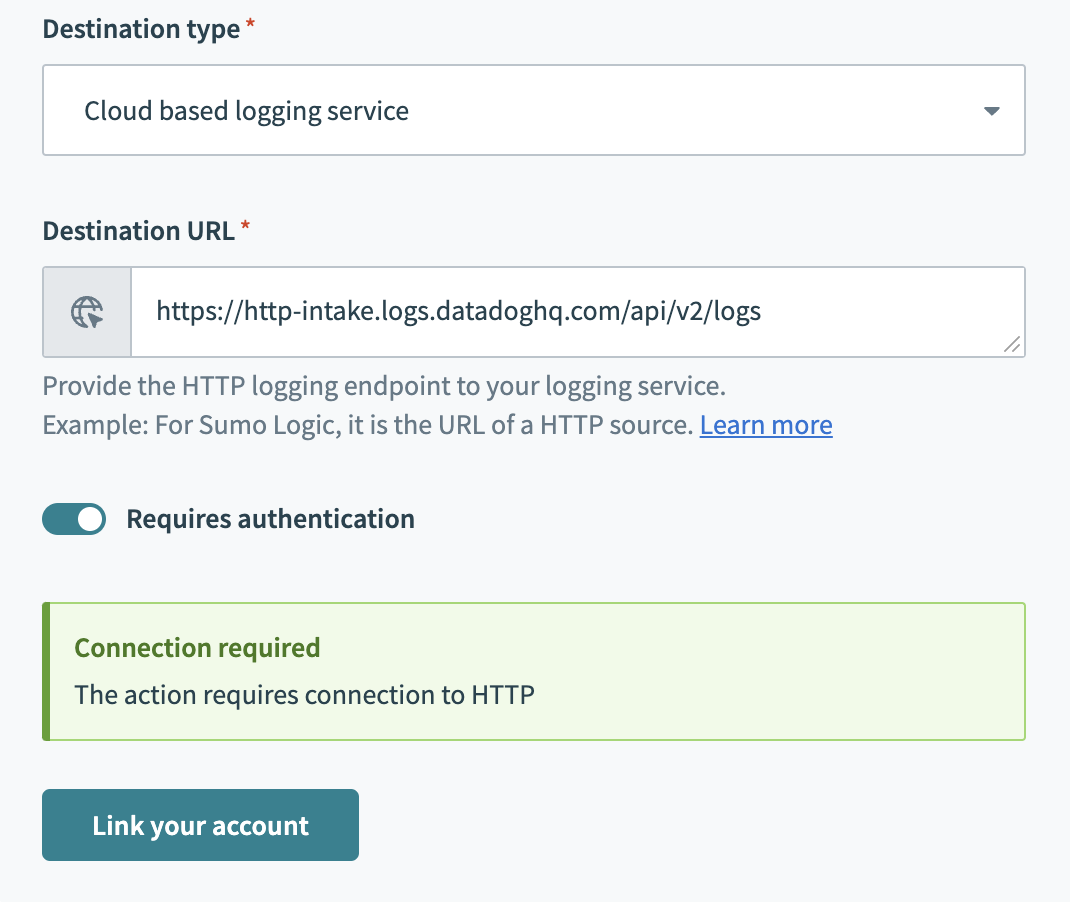 Link an HTTP connection
Last updated: 7/6/2023, 11:16:22 PM