# Connect to NetSuite REST on Workato
The NetSuite REST connector supports OAuth 2.0 authorization. OAuth 2.0 enables Workato to use a token to access NetSuite and eliminates the need for Workato to store user credentials.
You can connect to the NetSuite REST connector using many of the same basic steps for connecting to the NetSuite SOAP connector.
At a high level, this involves the following steps:
Enable Web Services and Token-based Authentication in your NetSuite instance (opens new window)
Install Workato's SuiteApp from the SuiteApp marketplace (opens new window)
Create an integration role with required permission levels for your integration (opens new window)
Assign the integration role to the integration user (opens new window)
# How to connect to NetSuite REST on Workato
Complete steps 1-4 in our NetSuite SOAP connector setup documentation (opens new window). Then, return to this page to continue setting up your connection.
Refer to NetSuite's documentation (opens new window) for instructions on how to generate your Client ID, Private key, and Certificate ID. These values are required to complete the connection setup in Workato.
Fill in the following fields in Workato:
Connection name
Name your NetSuite connection
Location
Determine in which folder/project to store your NetSuite connection.
Account ID
To obtain your Account ID: Log in to NetSuite as an Administrator, navigate to the Setup Menu > Integration > Web Services Preferences and locate your account ID.
Client ID
Refer to NetSuite's documentation (opens new window) for instructions on how to obtain your client ID.
Private key
The private key must be in PEM format and the length of the RSA key must be 3072 or 4096 bits. For more information, see OAuth 2.0 Client Credentials Setup (opens new window).
Certificate ID
Reference NetSuite's OAuth 2.0 Client Credentials Setup (opens new window) documentation for instructions on how to obtain your certificate ID.
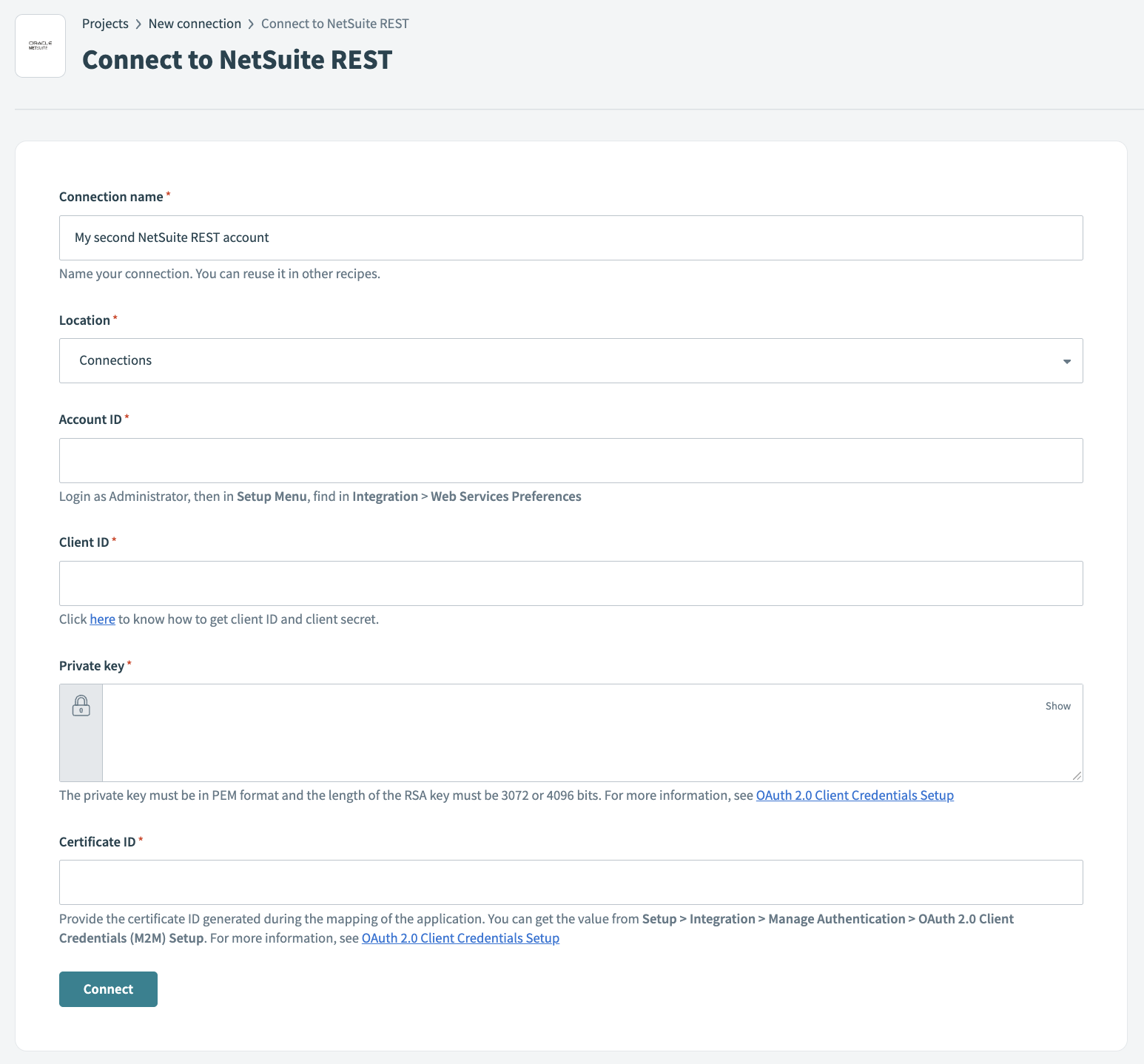 Connect to NetSuite REST
Last updated: 11/7/2023, 10:18:26 PM