# Marketo - Upsert Tokens Action
This action searches for tokens in your Marketo instance and updates tokens with submitted values if they exist, or creates new tokens.
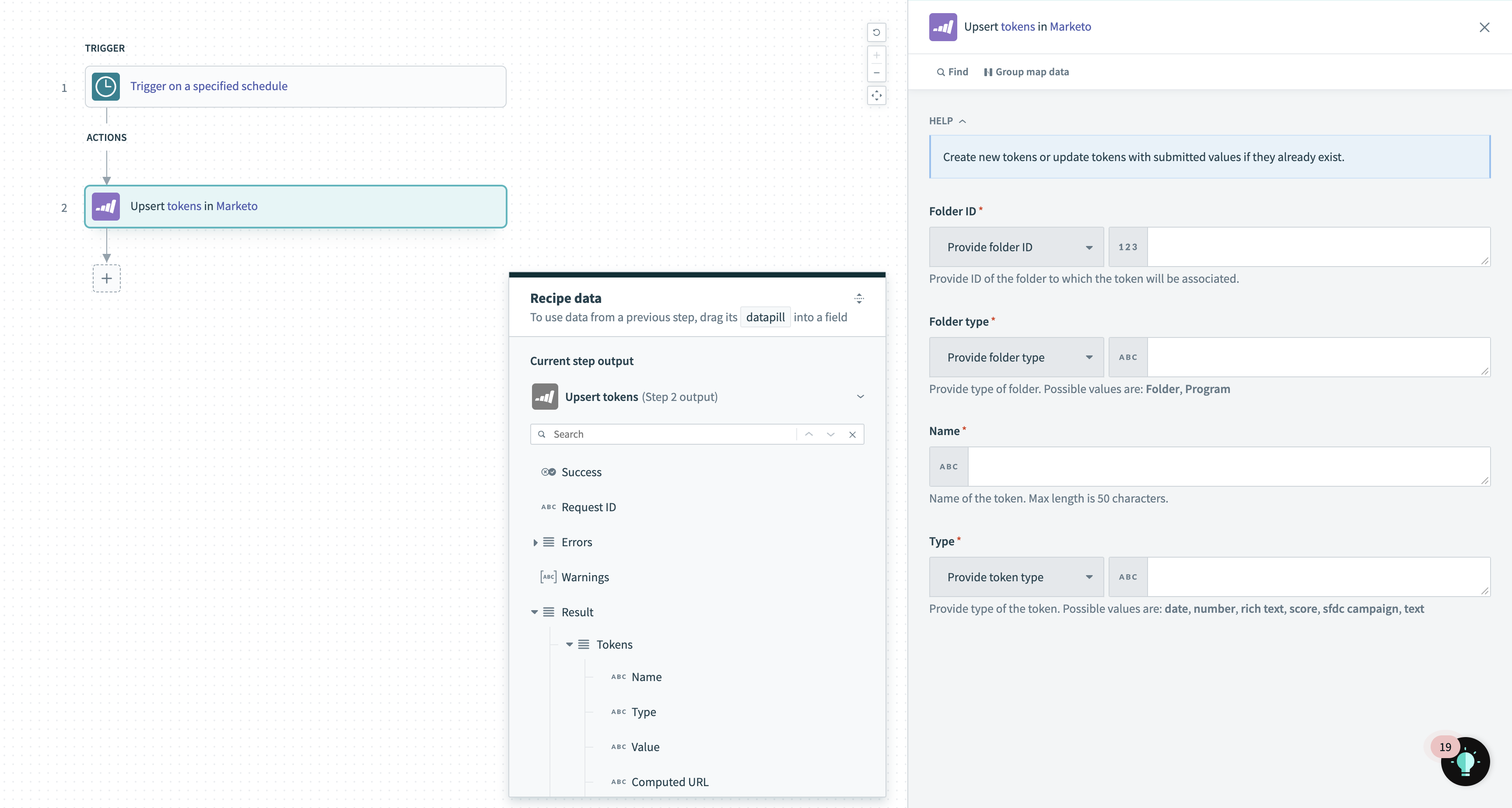 Upsert tokens action
# Input
| Input field | Description |
|---|---|
| Folder ID | ID of the folder to which the token is/will be associated. |
| Folder type | Type of folder. Possible values are: Folder, Program. |
| Name | Name of the token. Max length is 50 characters. |
| Type | Provide type of the token. Possible values are: date, number, rich text, score, sfdc campaign, text. |
# Output
| Output field | Description |
|---|---|
| Success | Boolean value indicating whether the token was upserted successfully. |
| Request ID | ID associated with the request to upsert the tokens. |
| Errors | Any errors with the request will be detailed here. |
| Warnings | Any warnings with the request will be detailed here. |
| Result | Contains information regarding the tokens upserted and the associated folders. |
For a full list of Token response fields, refer to the Marketo documentation (opens new window).
Last updated: 2/18/2022, 10:54:18 AM