# Excel - Get rows action
This action gets all the rows from a table in your Excel spreadsheet.
The maximum file size supported is 50MB.
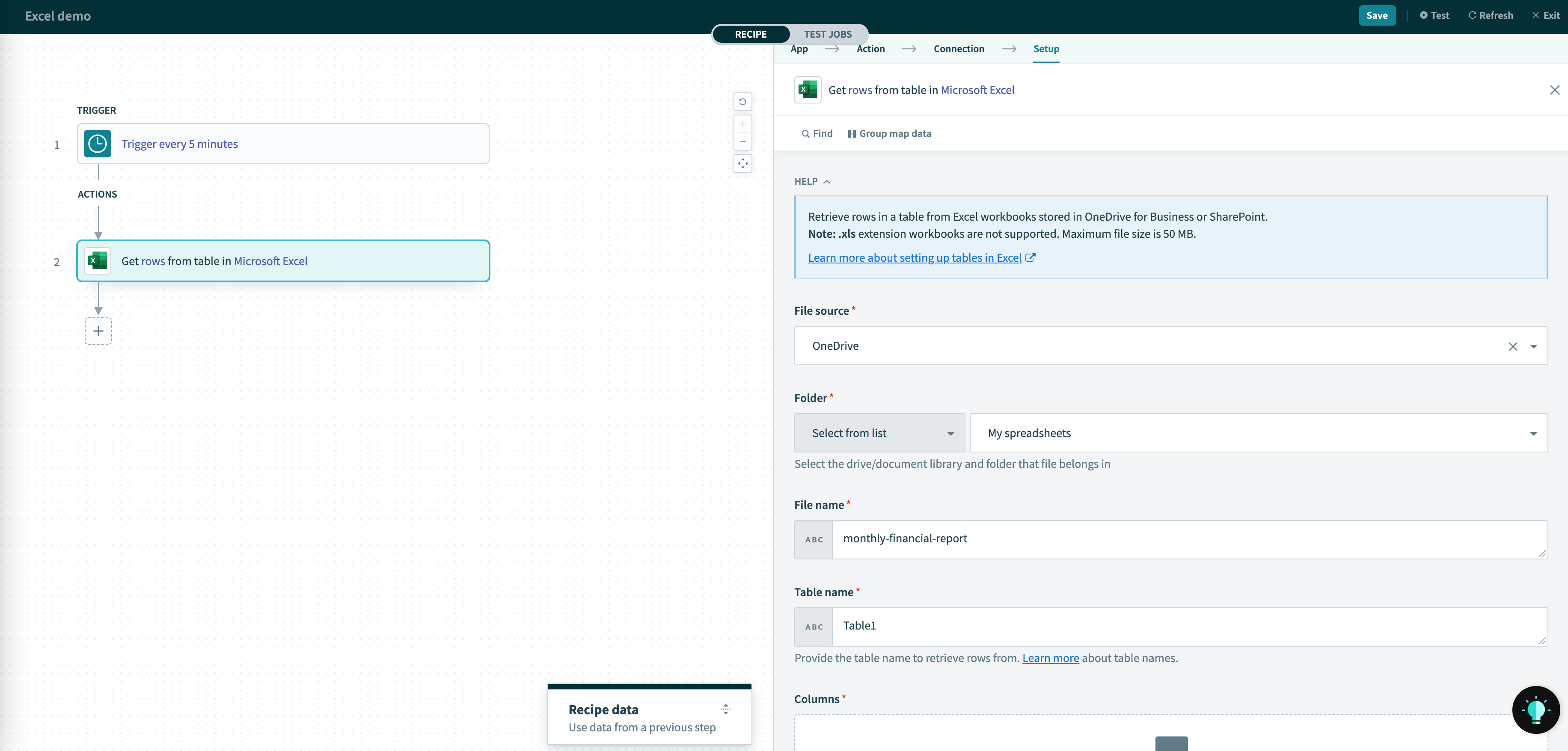 Get rows action
# Input fields
| Input field | Description |
|---|---|
| File source | File source of the spreadsheet, either from OneDrive or Sharepoint document library |
| Site Only if file source is Sharepoint | The Sharepoint site that spreadsheet belongs in. |
| Folder | The spreadsheet's folder within the selected file source. Either select from the generated picklist or provide the drive and folder ID manually. |
| File name | File name of the spreadsheet to read from. |
| Table name | The table name (opens new window) to retrieve rows from. You can find this name from the List tables action. |
| Columns | The column names for this table. These are used to generate the datapills in this action's output. It does not need to match the column names in your worksheet. |
# Output fields
| Output field | Description |
|---|---|
Rows | An array of rows of the cells extracted. The datapills within the row is determined the Columns input. |
Last updated: 3/21/2023, 3:36:59 AM